Phase 1 — Raw dataset overview and initial profiling
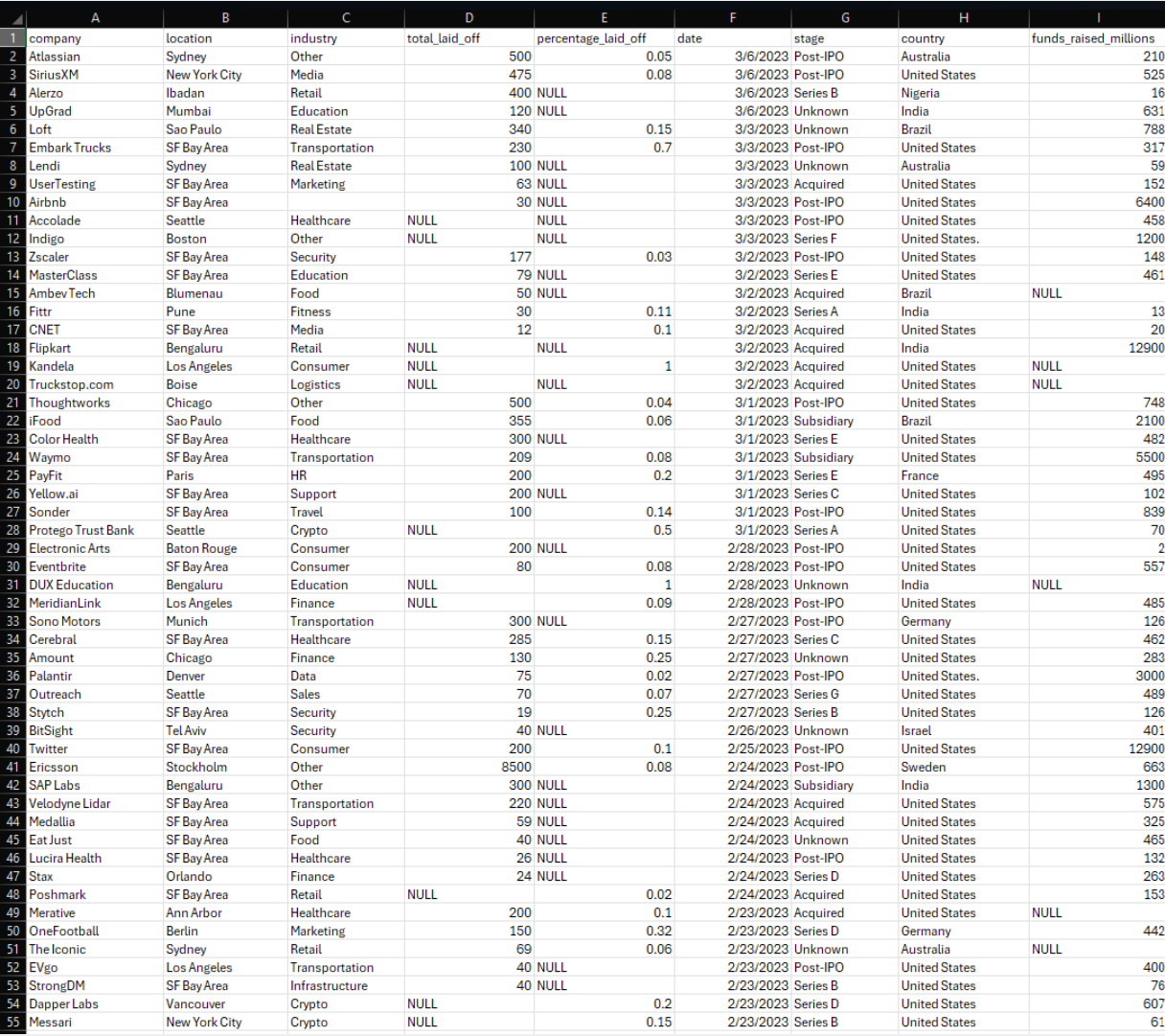
The original dataset captured company-level layoff events with columns for location, industry,
total employees laid off, percent laid off, layoff date, funding stage, country, and funds raised.
It arrived as a CSV file with no constraints and visible quality issues.
- Duplicate rows for the same company, location, date, and layoff counts
- Inconsistent capitalization and whitespace across text fields
- Country names such as United States. with trailing punctuation
- Dates stored as text strings instead of native DATE types
Preview of the world layoffs CSV as originally delivered with company, location, industry, and layoff data.
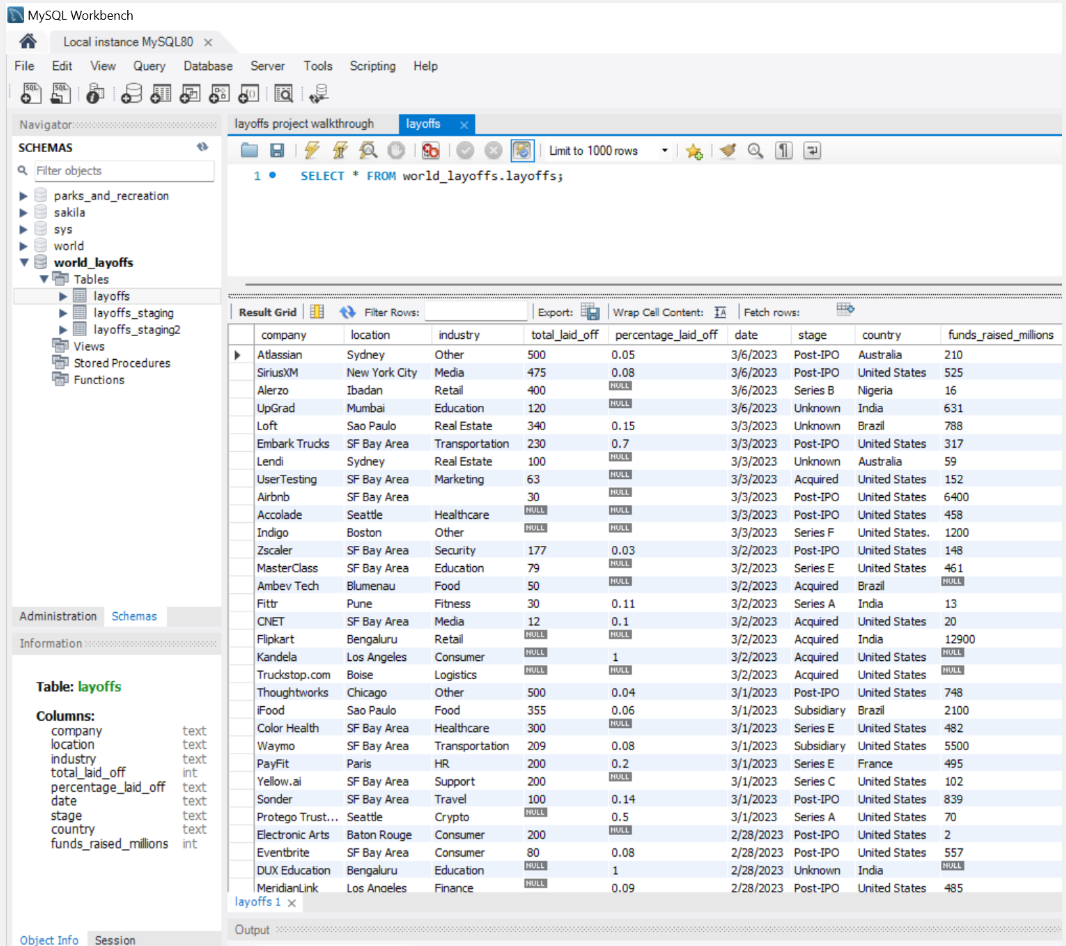
The same data imported into MySQL database (world_layoffs) and exposed as the layoffs table.
Phase 2 — Staging and cleaning setup
To protect the original layoff records, staging tables were created that mirror the raw structure.
All cleaning steps run inside these staging layers, which makes the pipeline repeatable and easy
to debug without risking the source data.
-- Duplicate raw table into a staging table

CREATE TABLE layoffs_staging LIKE layoffs;


INSERT INTO layoffs_staging

SELECT *

FROM layoffs;


-- Create a second staging table for stepwise cleaning

CREATE TABLE layoffs_staging2 (

  company               TEXT,

  location              TEXT,

  industry              TEXT,

  total_laid_off        INT DEFAULT NULL,

  percentage_laid_off   TEXT,

  `date`                TEXT,

  stage                 TEXT,

  country               TEXT,

  funds_raised_millions INT DEFAULT NULL

);


INSERT INTO layoffs_staging2

SELECT *

FROM layoffs_staging;
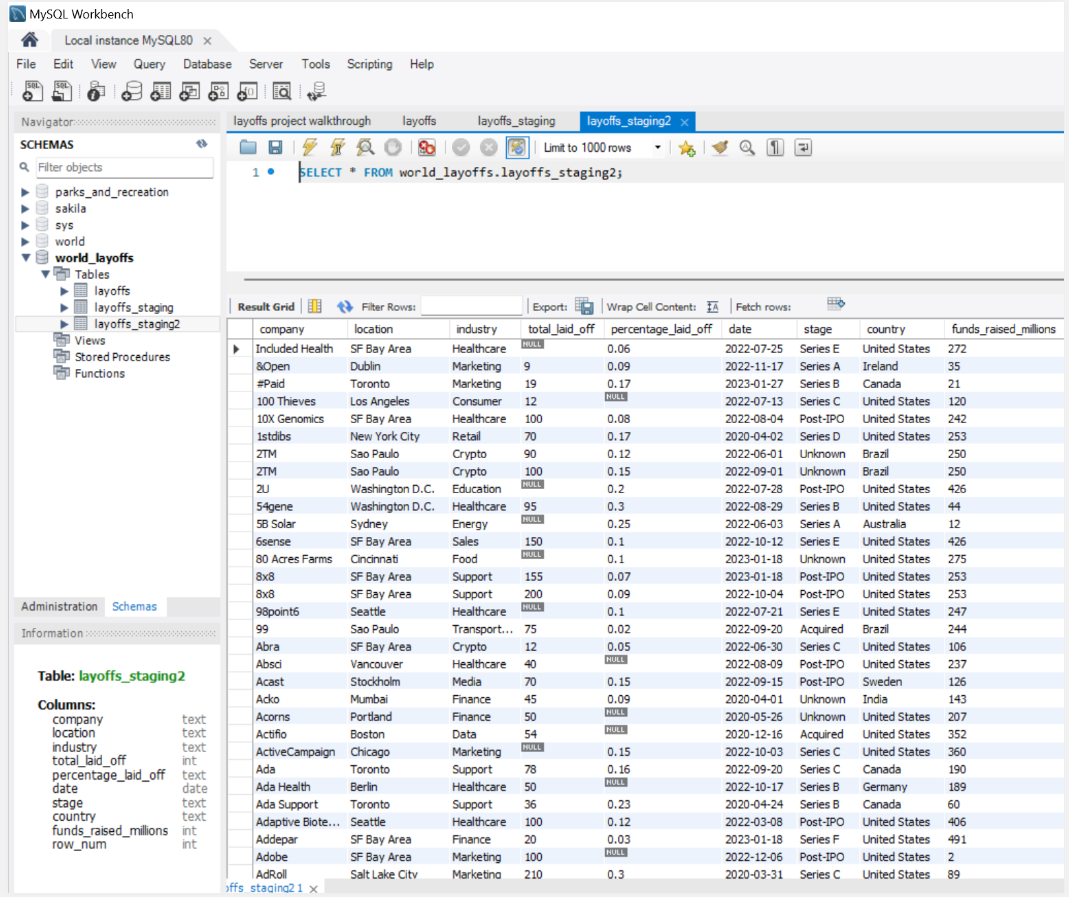
View of the layoffs_staging2 table in MySQL Workbench after initial copy from the raw table.
Phase 3 — Removing duplicate records
Exact duplicates occur when the same company, location, industry, layoff counts, date, stage,
country, and funding appear more than once. A CTE with ROW_NUMBER() was used to flag these cases
and then remove all but a single instance.
-- Identify duplicates using ROW_NUMBER()

WITH duplicate_cte AS (

    SELECT *,

           ROW_NUMBER() OVER (

               PARTITION BY company,

                            location,

                            industry,

                            total_laid_off,

                            `date`

           ) AS row_num

    FROM layoffs_staging

)

SELECT *

FROM duplicate_cte

WHERE row_num > 1;


-- Remove duplicate rows where row_num > 1

DELETE

FROM layoffs_staging2

WHERE row_num > 1;
After this step, every layoff event is represented once for each unique company, location, industry, and date combination.
Phase 4 — Standardizing text fields and handling missing values
Consistent text values and meaningful non-null records are essential for trustworthy analysis.
In this phase company, industry, and country fields were standardized, then records were backfilled
and removed to ensure analysts work with coherent data.
4.1 — Company, industry, and country standardization
-- Standardize company names by trimming whitespace

UPDATE layoffs_staging2

SET company = TRIM(company);


-- Consolidate industry variations (Crypto)

UPDATE layoffs_staging2

SET industry = 'Crypto'

WHERE industry LIKE 'Crypto%';


-- Remove inconsistent formatting in country field

UPDATE layoffs_staging2

SET country = TRIM(TRAILING '.' FROM country)

WHERE country LIKE 'United States%';
These standardization steps allow analysts to roll up layoffs by industry and country without losing records to minor spelling differences.
4.2 — Filling gaps and removing unusable records
-- Populate missing industry fields by self joining

UPDATE layoffs_staging2 t1

JOIN layoffs_staging2 t2

  ON t1.company = t2.company

 AND t1.location = t2.location

SET t1.industry = t2.industry

WHERE t1.industry IS NULL

  AND t2.industry IS NOT NULL;


-- Remove rows where both layoff metrics are NULL

DELETE

FROM layoffs_staging2

WHERE total_laid_off IS NULL

  AND percentage_laid_off IS NULL;
This step retains informative records while discarding entries that cannot contribute to quantitative analysis.
Phase 5 — Date conversion and final analytics output
To support time-based analysis, the date column was converted from text to a native DATE type and
temporary helper fields were dropped. The result is a clean, analysis-ready table for BI tools.
-- Convert the date column from TEXT to DATE format

UPDATE layoffs_staging2

SET `date` = STR_TO_DATE(`date`, '%m/%d/%Y');


-- Modify the date column type to DATE

ALTER TABLE layoffs_staging2

MODIFY COLUMN `date` DATE;


-- Drop the unnecessary row_num column

ALTER TABLE layoffs_staging2

DROP COLUMN row_num;


-- Verify the final cleaned table

SELECT *

FROM layoffs_staging2;
At this point, layoffs_staging2 serves as the cleaned, analysis-ready table for BI tools like Tableau or Power BI.