Enterprise Identity & Access Management
Enterprise IAM implementation in Microsoft Entra ID simulating identity provisioning, RBAC governance, external collaboration, authentication monitoring, and audit investigation.
What was built
Configured a full Microsoft Entra ID tenant to simulate enterprise identity lifecycle operations including user provisioning, RBAC enforcement, external collaboration, identity lifecycle management, authentication monitoring, and audit investigation.
Deliverables
- 6 internal users — IT (admin + support), HR (manager + staff), Finance (analyst + staff)
- 3 RBAC security groups with assigned membership
- B2B guest contractor identity — EXT designation, pending acceptance
- Sign-in logs and audit logs reviewed with event-level investigation
- Identity Secure Score assessed with actionable recommendations
- IAM architecture diagram documenting the full identity flow
Phase 1–2
Tenant Initialization
Directory baseline validation and IAM surface readiness
Phase 3–4
Identity Provisioning
Internal user provisioning and B2B guest onboarding
Phase 5–6
Access Governance and Lifecycle
RBAC group architecture and identity lifecycle operations
Phase 7–8
Authentication and Audit Monitoring
Sign in telemetry and administrative audit investigation
Phase 9–10
Security Posture and Architecture
Secure Score assessment, conditional access review, and IAM architecture documentation
Lab Breakdown
Phase 1 — Tenant Initialization
The Microsoft Entra ID tenant was initialized and validated to establish a controlled identity baseline. Core directory attributes including tenant identity, domain configuration, licensing state, and existing identity objects were confirmed prior to provisioning users or enforcing access controls.
1.1 — Tenant Overview
The Default Directory overview confirms tenant identity, primary domain, license tier, and current identity object count. This establishes the baseline state used to support identity provisioning, RBAC assignment, and lifecycle operations.
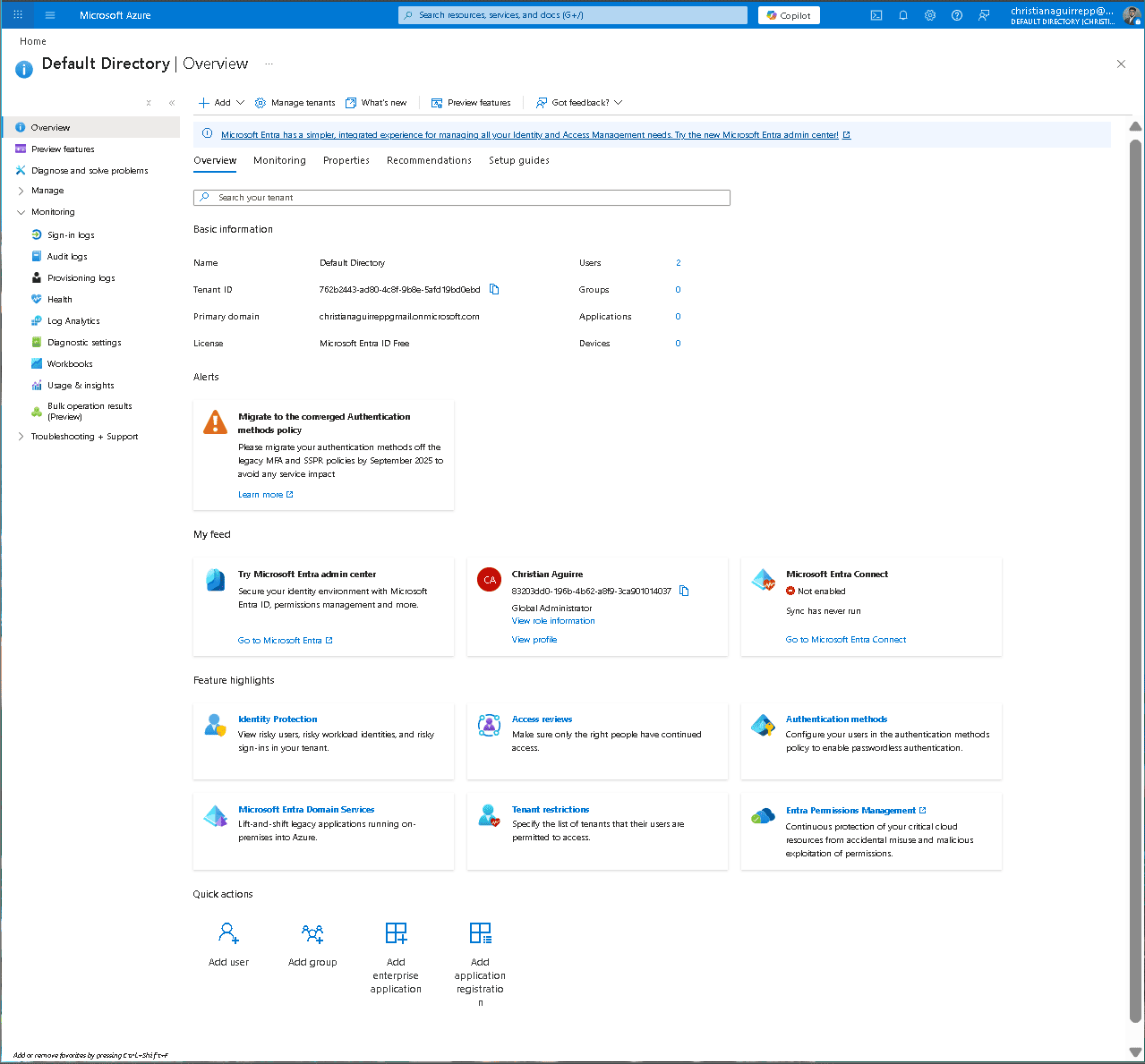
Default Directory overview confirming tenant identity and baseline configuration.
Phase 2 — IAM Surface Validation
Core identity governance components were reviewed to confirm operational readiness. This included Users, Groups, Roles and administrators, Sign-in logs, Audit logs, and Conditional Access. Validating these surfaces ensures the tenant supports identity provisioning, access governance, authentication monitoring, and audit traceability.
2.1 — Identity Governance Surfaces
Administrative surfaces were verified to confirm visibility and control over identities, group membership, directory roles, authentication activity, and audit telemetry. This ensures full lifecycle management capability before introducing production identities.
Phase 3 — Internal User Provisioning
Six internal identities were provisioned to model a basic enterprise org chart across IT, HR, and Finance. Admin privileges were assigned only to IT accounts, while HR and Finance access is governed primarily through group based RBAC to reinforce least privilege.
3.1 — it.admin — Basics tab
Provisioned the primary IT administrator identity used to manage directory operations and support workflows.
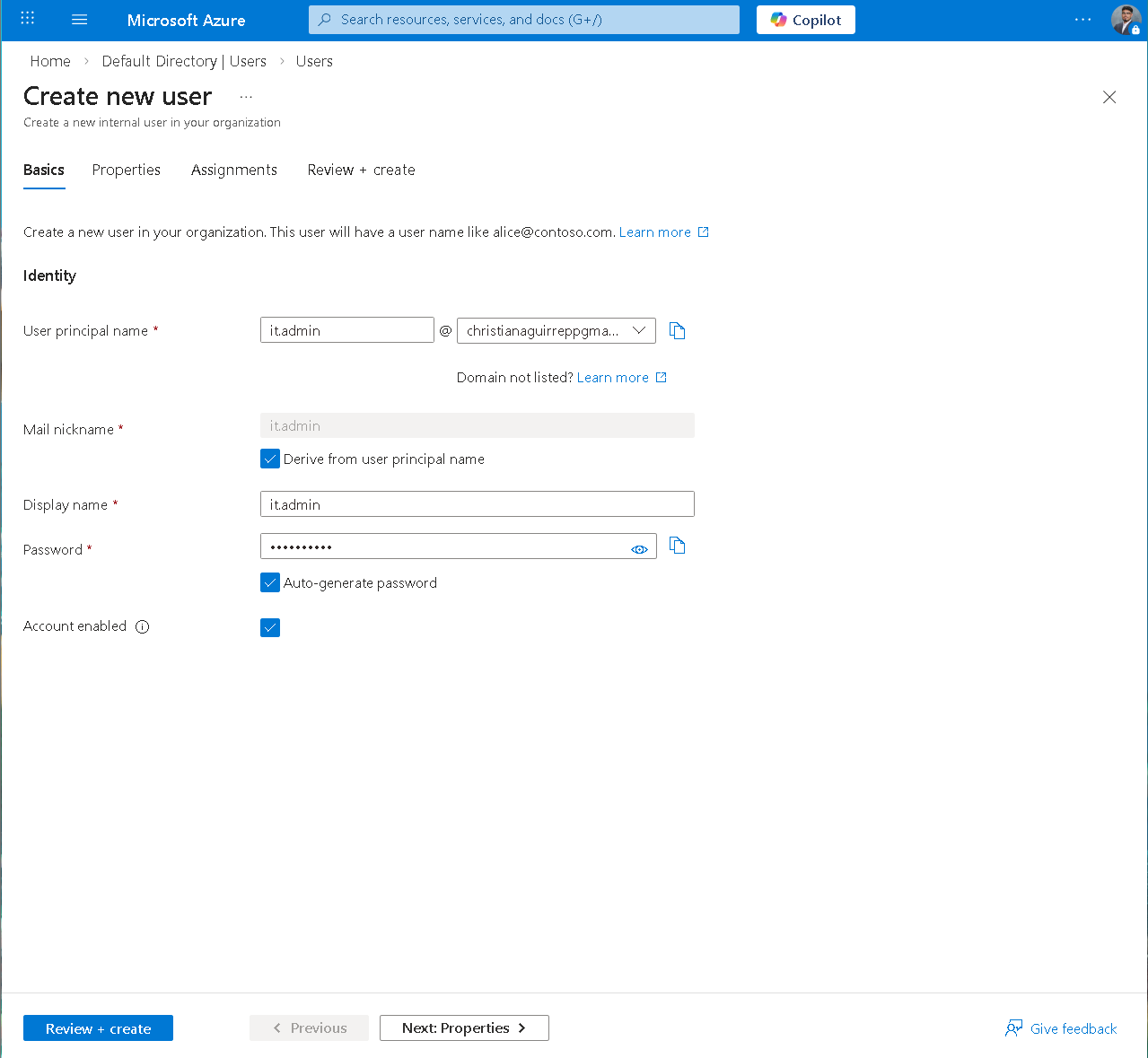
it.admin — Basics tab with UPN set and auto-generate password enabled.
3.2 — it.admin — Role Assignments
Assigned directory roles during provisioning to avoid a post creation access gap. Roles: Global Reader, Helpdesk Administrator, User Administrator.
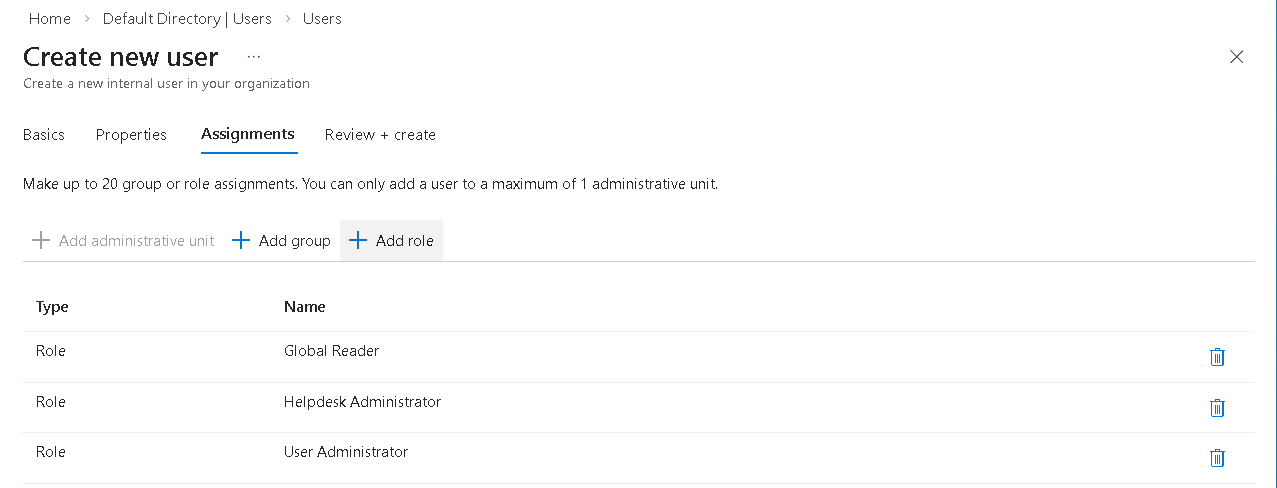
Assignments tab — Global Reader, Helpdesk Administrator, User Administrator applied to it.admin.
3.3 — it.admin — Review + Create
Validated governance metadata and role scope before creation, including department, manager relationship, usage location, and assigned roles.
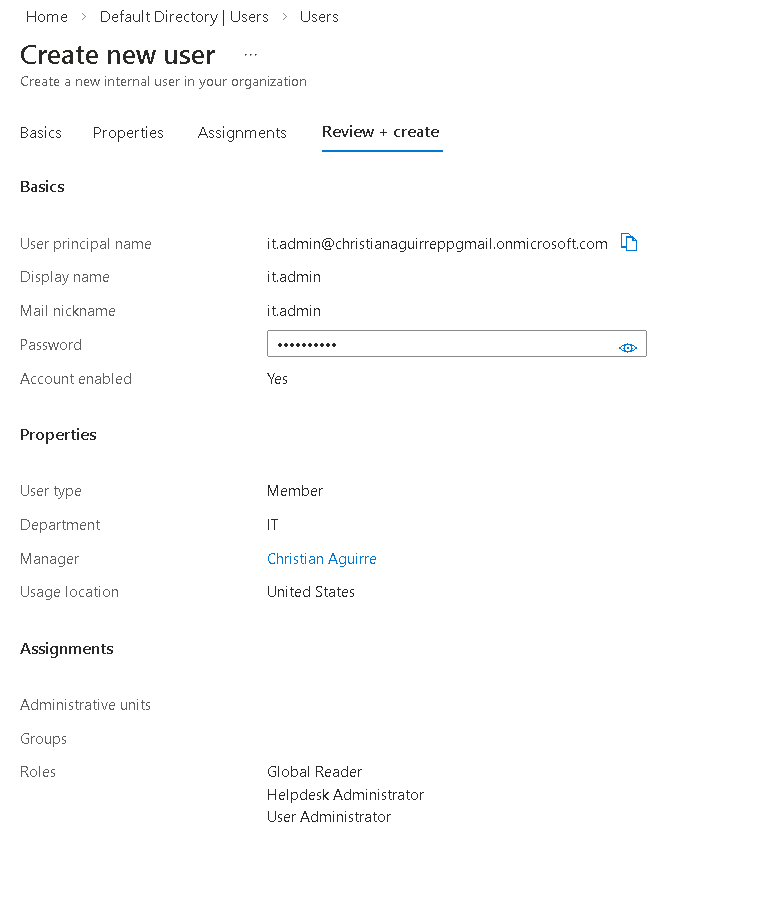
it.admin review — IT dept, manager, location, and three role assignments confirmed.
3.4 — it.support — Review + Create
Provisioned a lower privilege IT support identity. Scoped to support responsibilities with Global Reader and Helpdesk Administrator only.
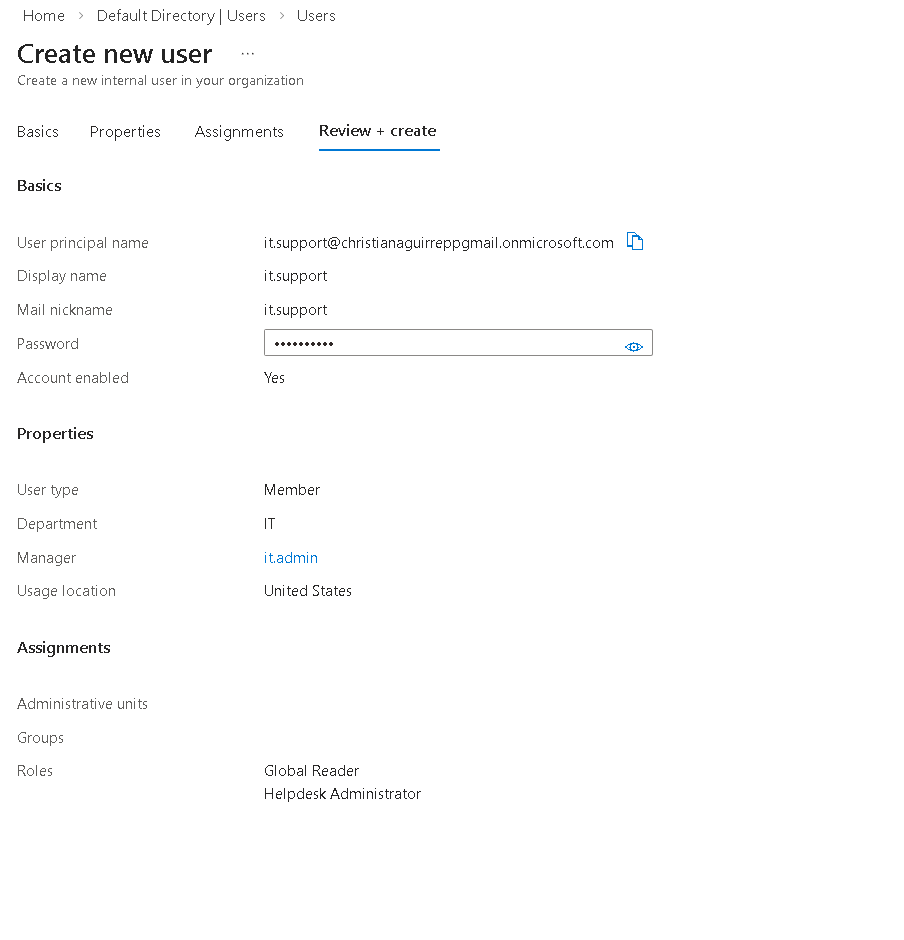
it.support review — IT dept, it.admin as manager, Global Reader + Helpdesk Admin roles.
3.5 — hr.manager — Review + Create
Provisioned HR manager identity with no directory roles. Access is intended to be controlled through HR Team group membership rather than direct admin privileges.
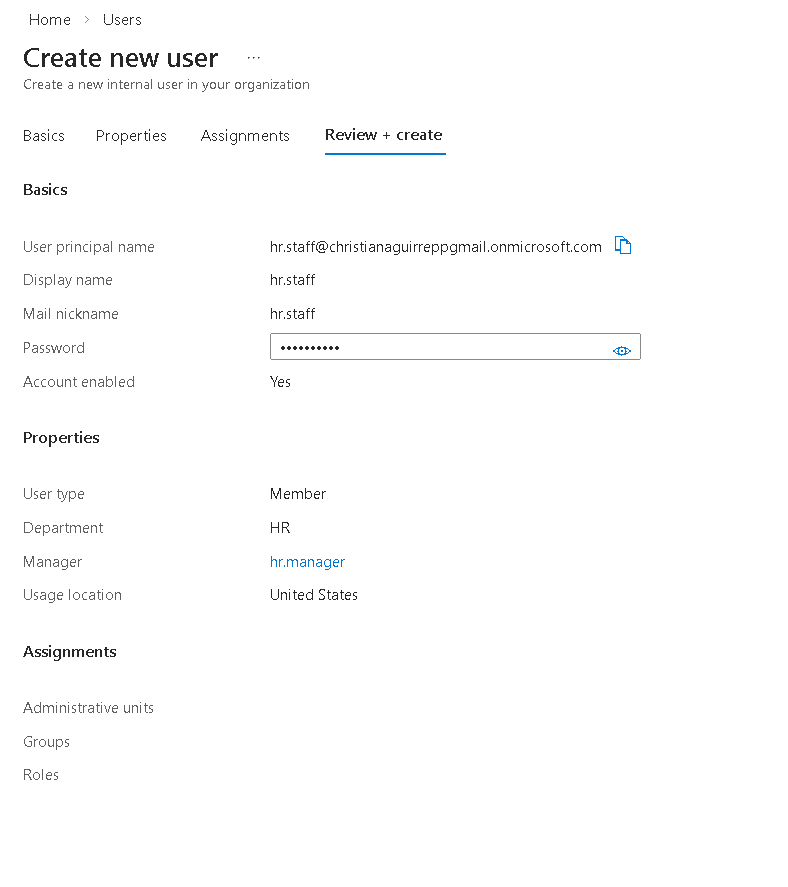
hr.manager review — HR dept, manager assigned, no directory roles.
3.6 — hr.staff — Review + Create
Provisioned HR staff identity and established the department reporting chain by assigning hr.manager as manager.
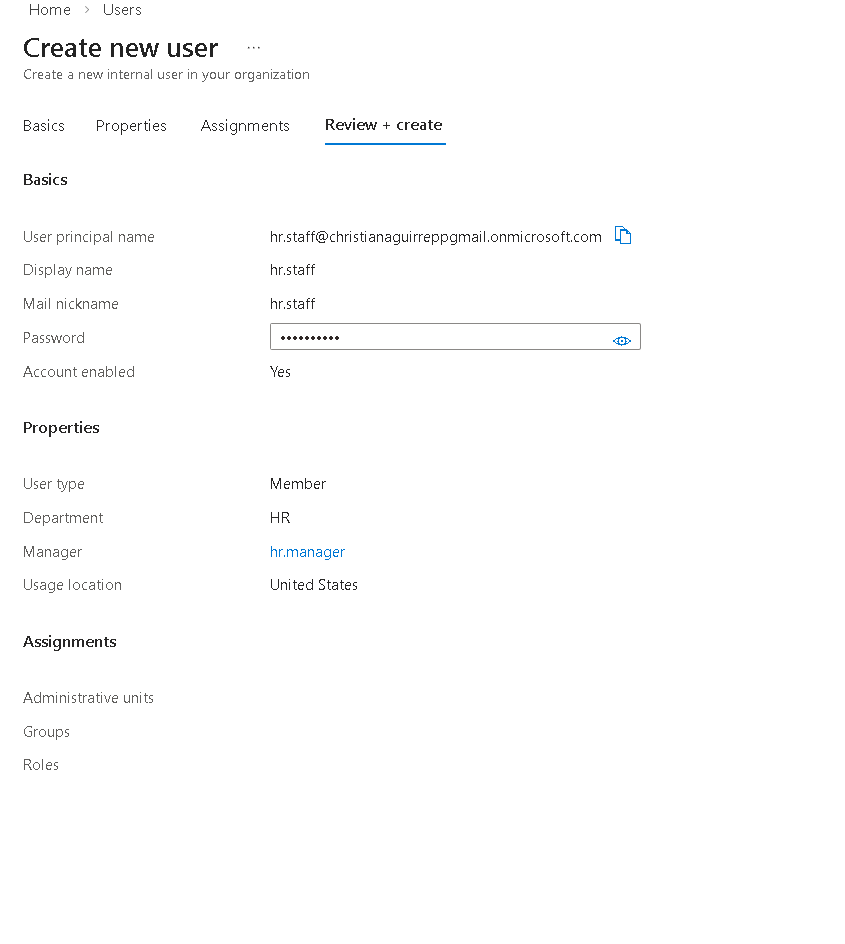
hr.staff review — HR dept, hr.manager as manager, no directory roles.
3.7 — fin.analyst — Review + Create
Provisioned Finance analyst identity with limited directory visibility using Global Reader. This models a finance user who needs oversight context without admin control.
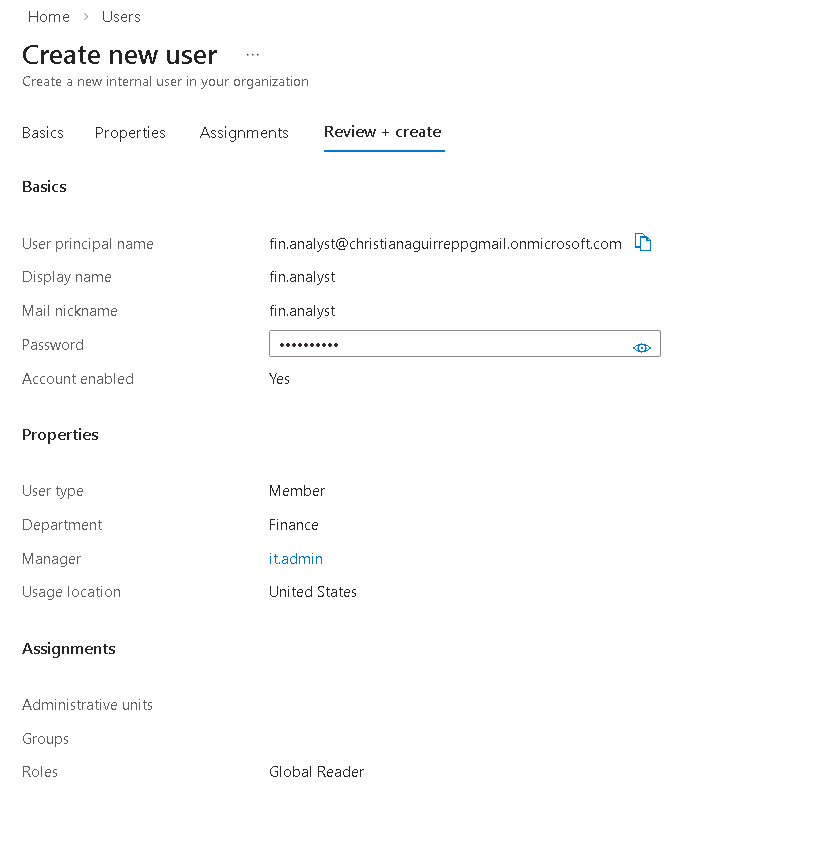
fin.analyst review — Finance dept, it.admin manager, Global Reader role.
3.8 — fin.staff — Review + Create
Provisioned Finance staff identity with no directory roles. Access is governed through Finance Team group membership to keep permissions centralized and auditable.
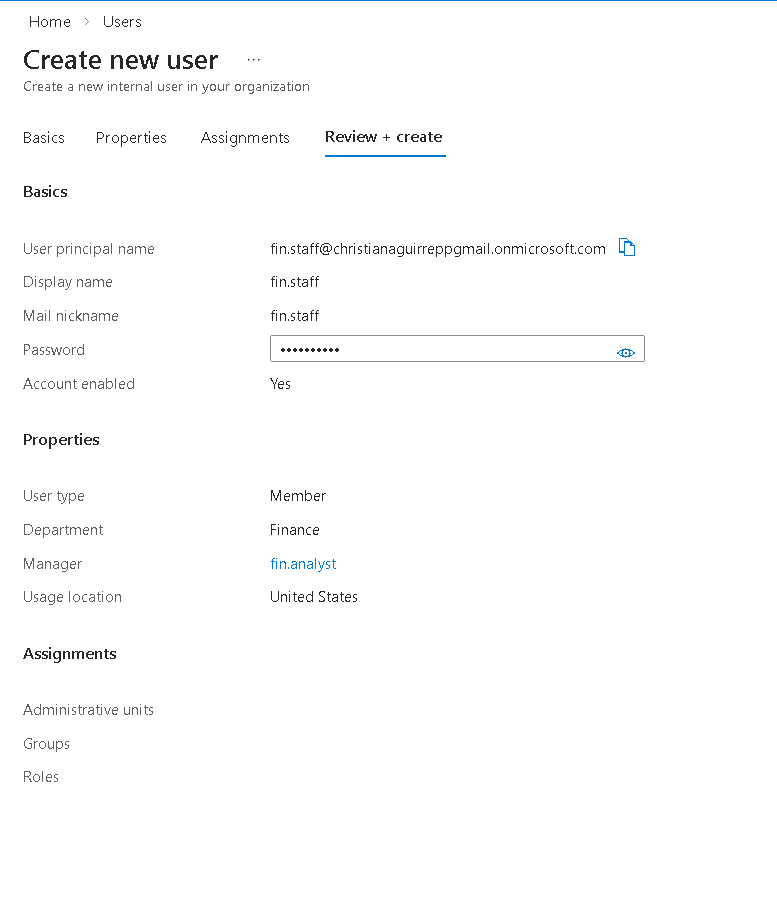
fin.staff review — Finance dept, it.admin manager, Global Reader role.
Phase 4 — B2B Guest Collaboration
An external contractor identity was onboarded using Microsoft Entra B2B collaboration. Guest identities allow external users to authenticate with their own credentials while remaining fully governed within the organization's identity and access management framework.
4.1 — Invite External User
Initiated guest onboarding by submitting an external email address and defining the contractor identity. This creates a guest object in the directory and generates a secure invitation workflow for external authentication.
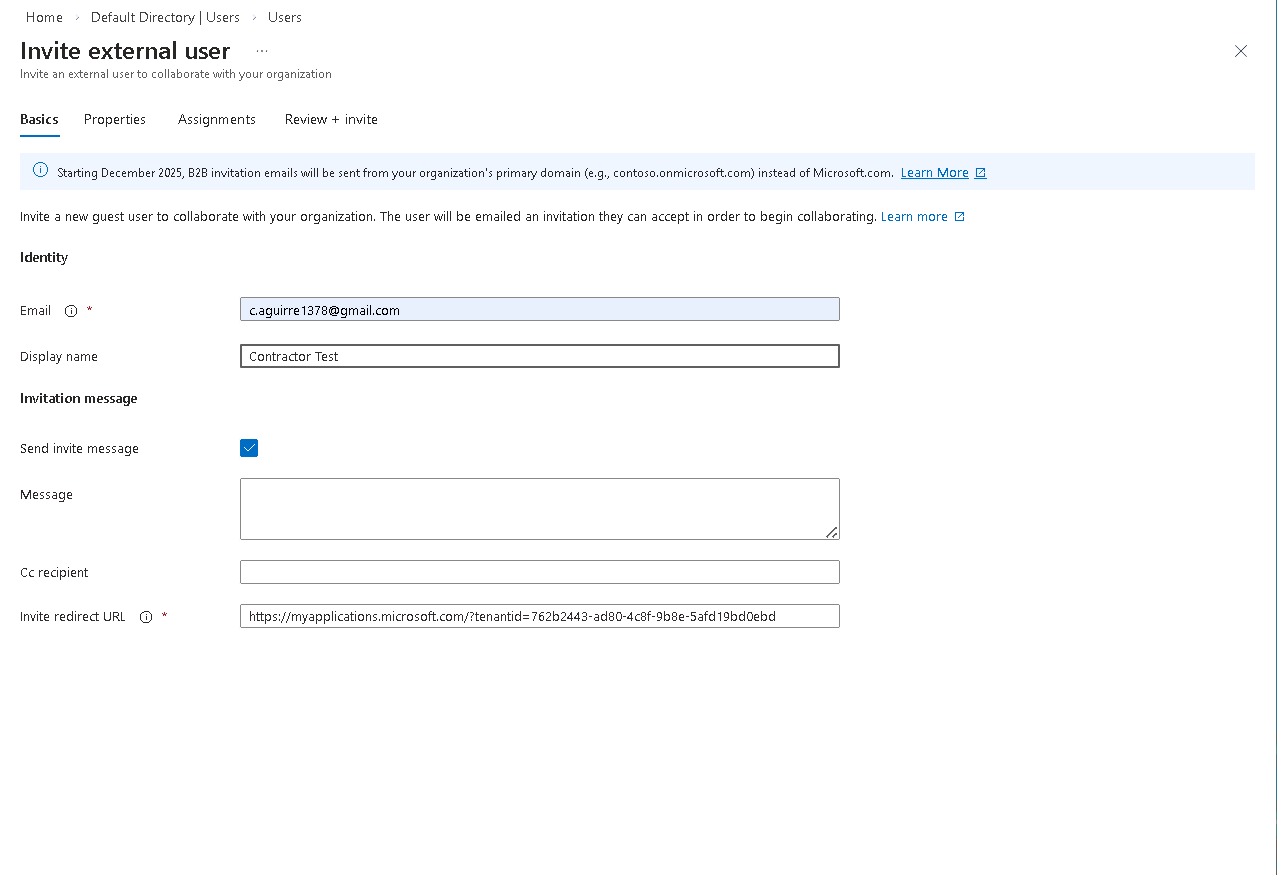
Basics tab — external email and display name set before filling invitation message.
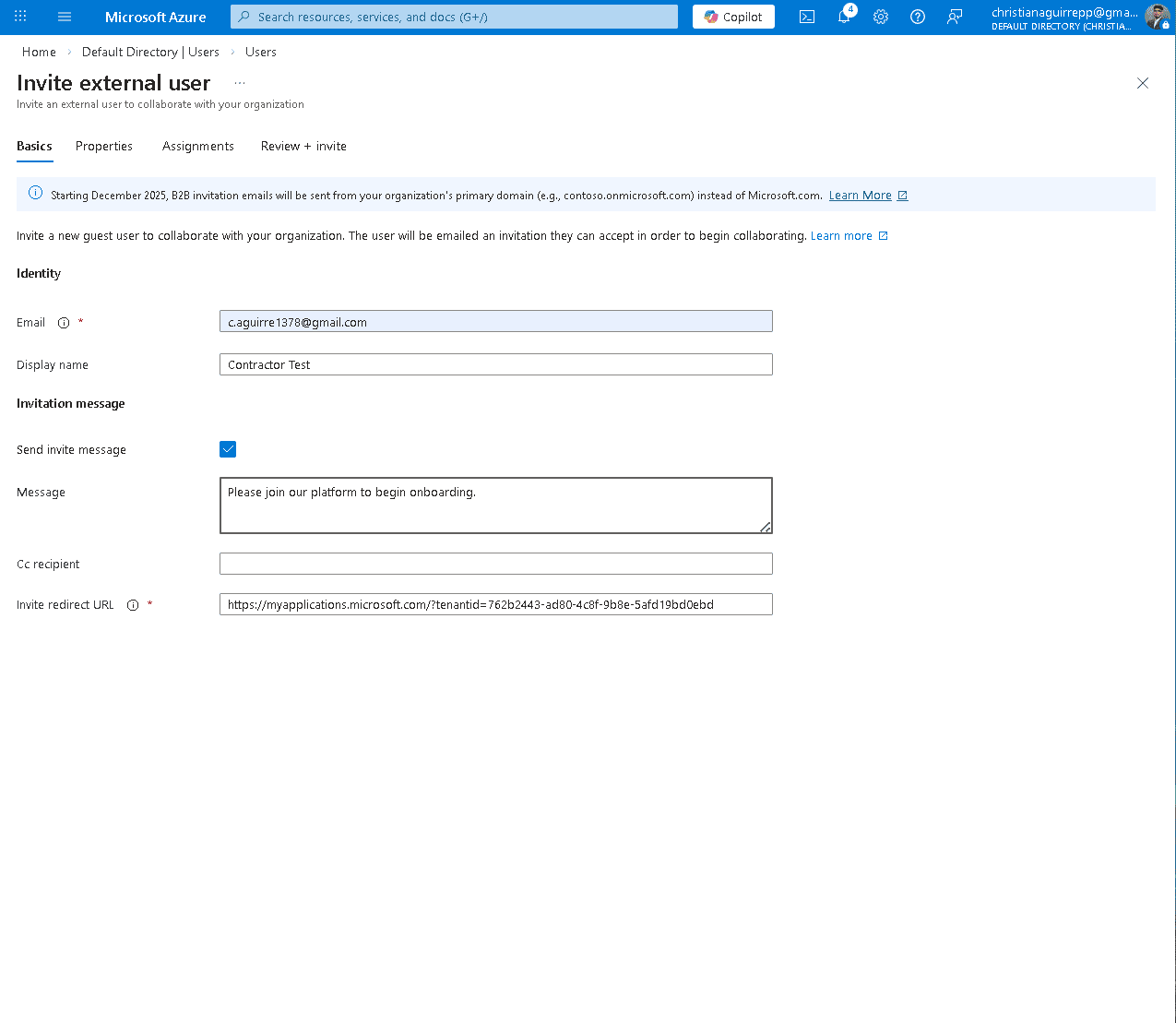
Invitation message filled — "Please join our platform to begin onboarding."
4.2 — Review + Invite and Post-Invite State
Verified guest identity configuration and issued the invitation. The account appears in the directory with Guest user type and Pending acceptance status, confirming successful external identity provisioning.
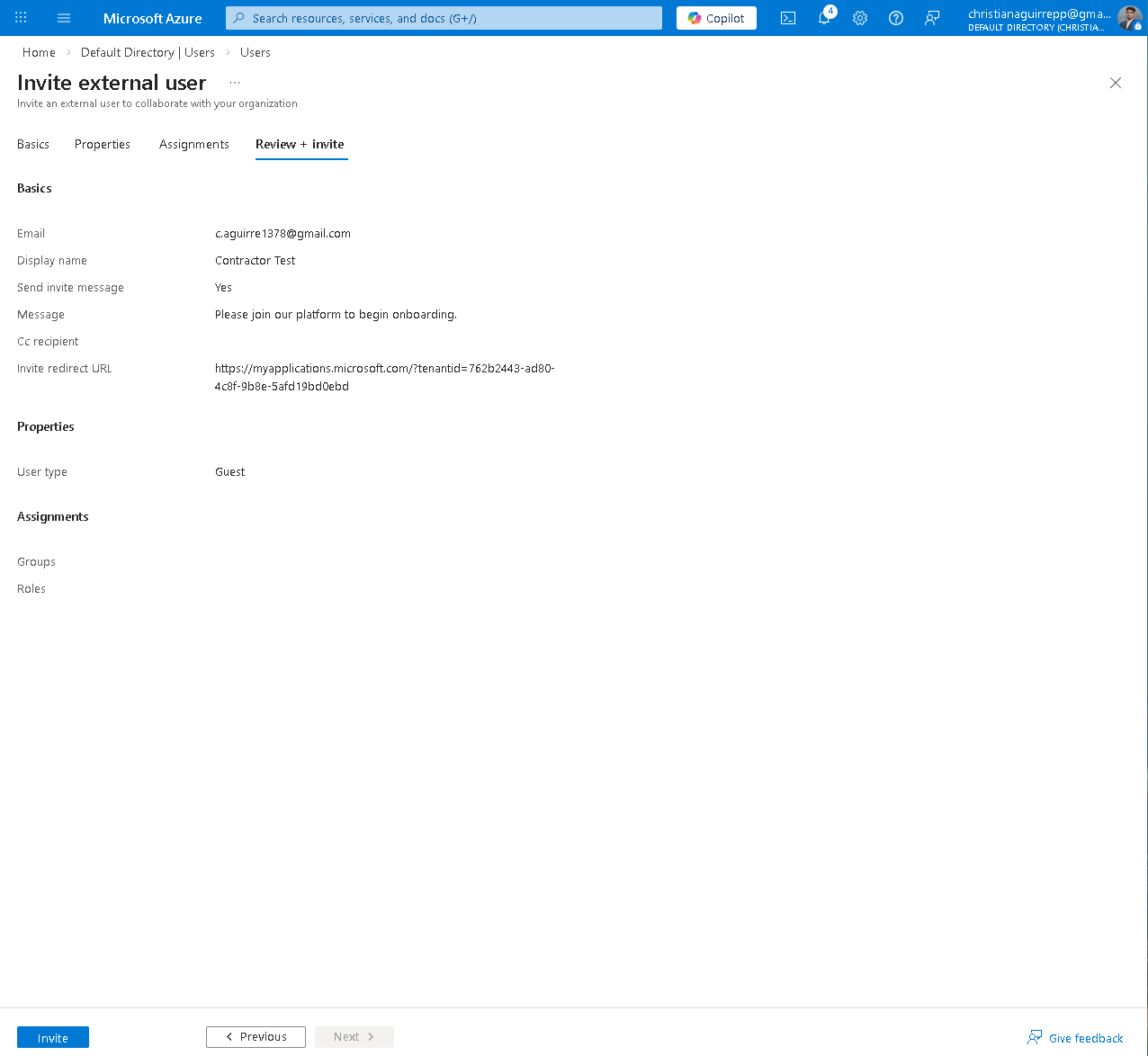
Review + invite — Guest user type, message confirmed, redirect URL set.
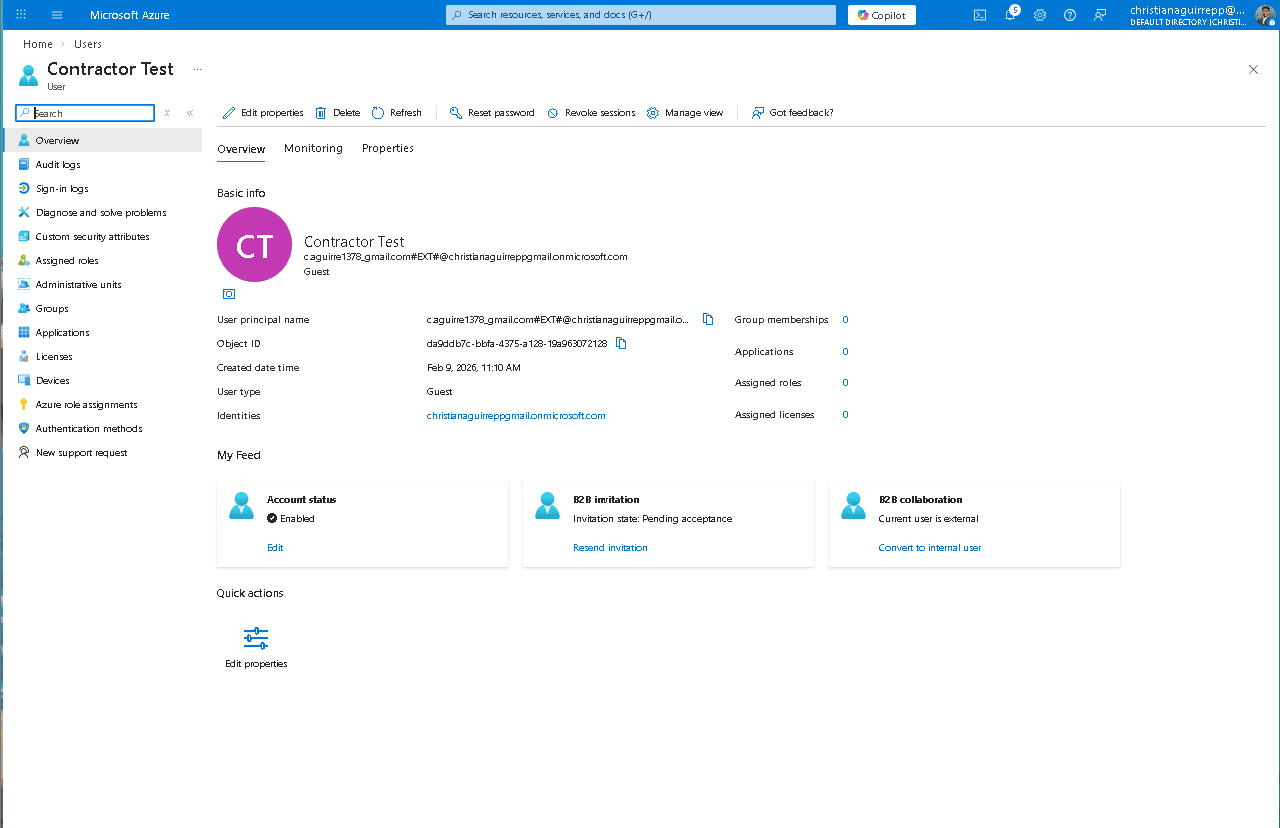
Contractor Test overview — Guest type, #EXT# UPN, B2B invitation pending acceptance.
4.3 — Guest Properties and Attribute Enrichment
Validated identity metadata including department, job title, usage location, and manager assignment. Maintaining complete identity attributes ensures guest users can be governed, audited, and assigned access consistently with internal identities.
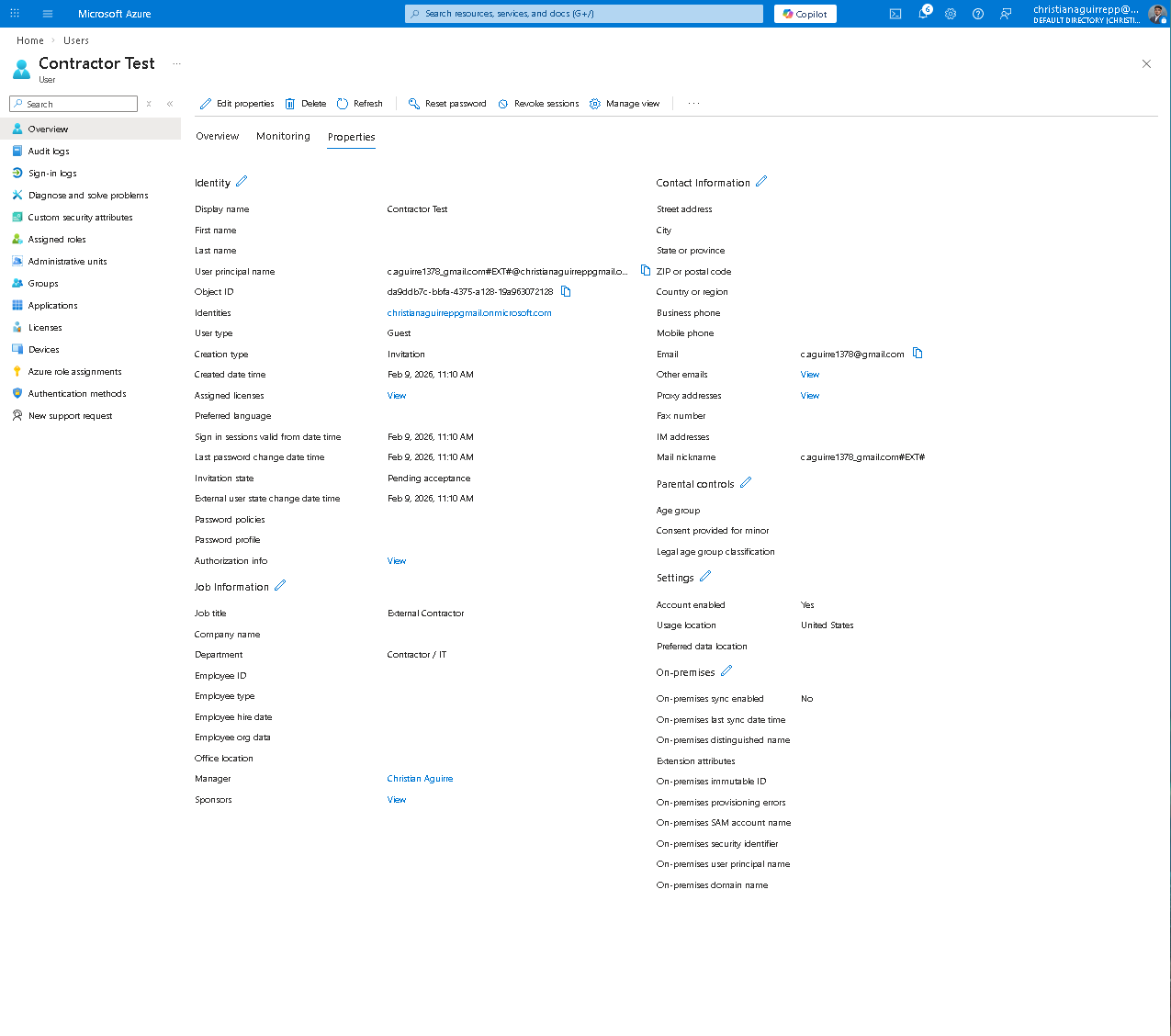
Contractor Test Properties tab — job title, dept, UPN with #EXT#, creation type: Invitation.
Phase 5 — RBAC Security Groups
Department based security groups were implemented to enforce role based access control. Group centric access governance ensures permissions are assigned once at the group level and inherited by all members, reducing administrative overhead and maintaining consistent access boundaries.
5.1 — All Groups
Three security groups were created to reflect organizational structure: IT Team, HR Team, and Finance Team. Each group serves as the access control boundary for its respective department.
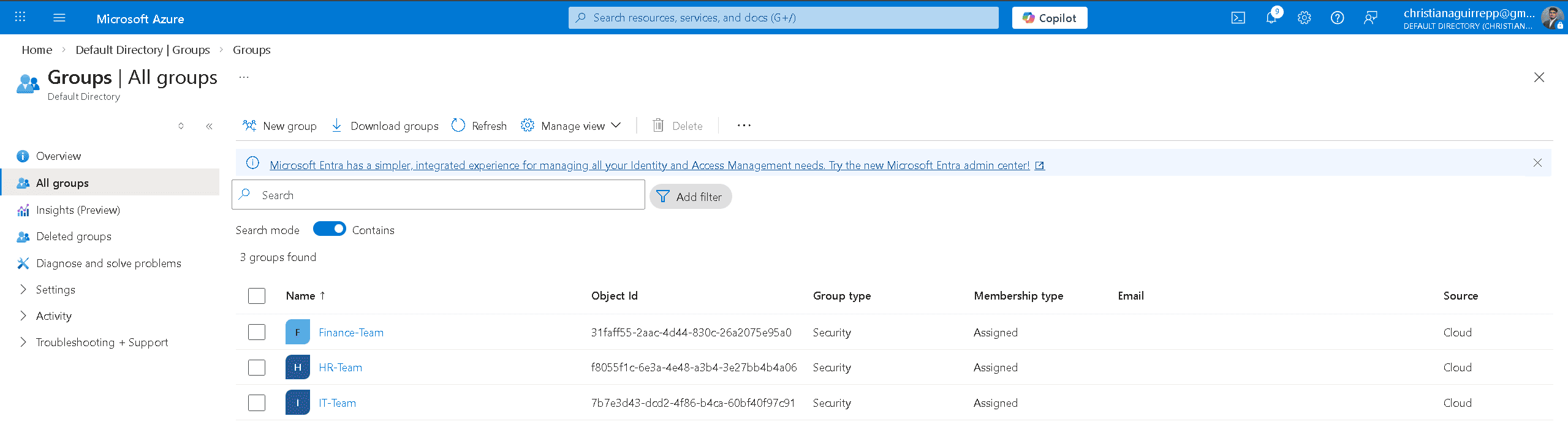
All groups — Finance-Team, HR-Team, IT-Team created as Security type with Assigned membership.
5.2 — IT-Team Members
The IT Team group contains administrative and support identities, including the external contractor guest. This demonstrates that both internal and external users can be governed within the same RBAC model while maintaining identity type distinction.
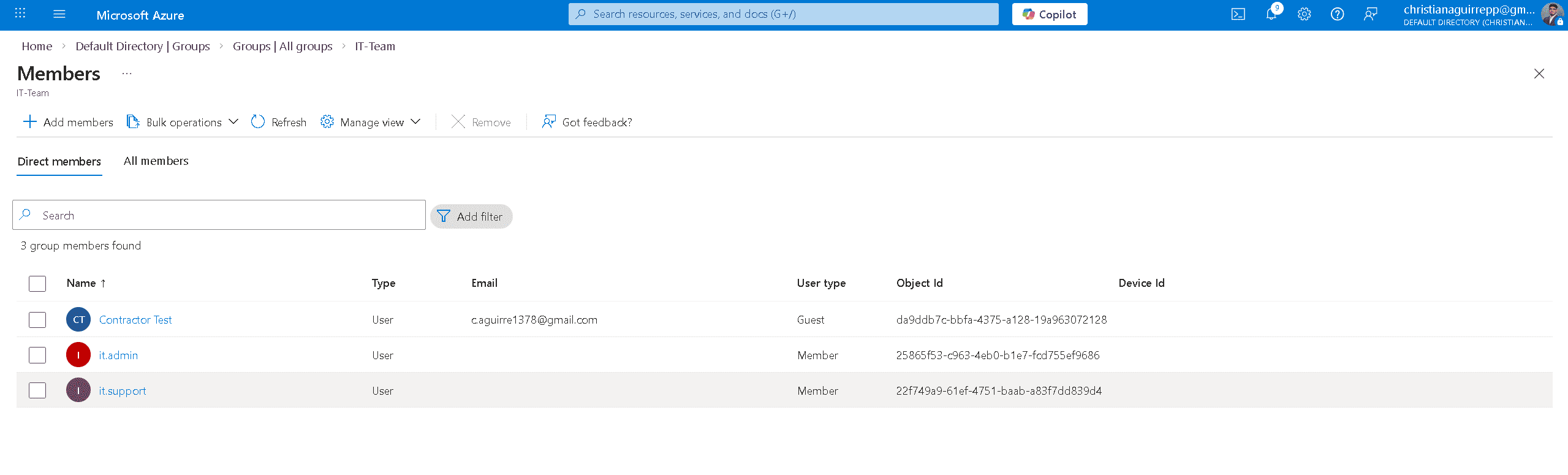
IT-Team members — Contractor Test (Guest), it.admin, it.support. Guest user type clearly differentiated.
5.3 — HR-Team Members
HR manager and HR staff identities were assigned to the HR Team group. Access for HR users is governed entirely through group membership, ensuring permissions remain centrally controlled and auditable.
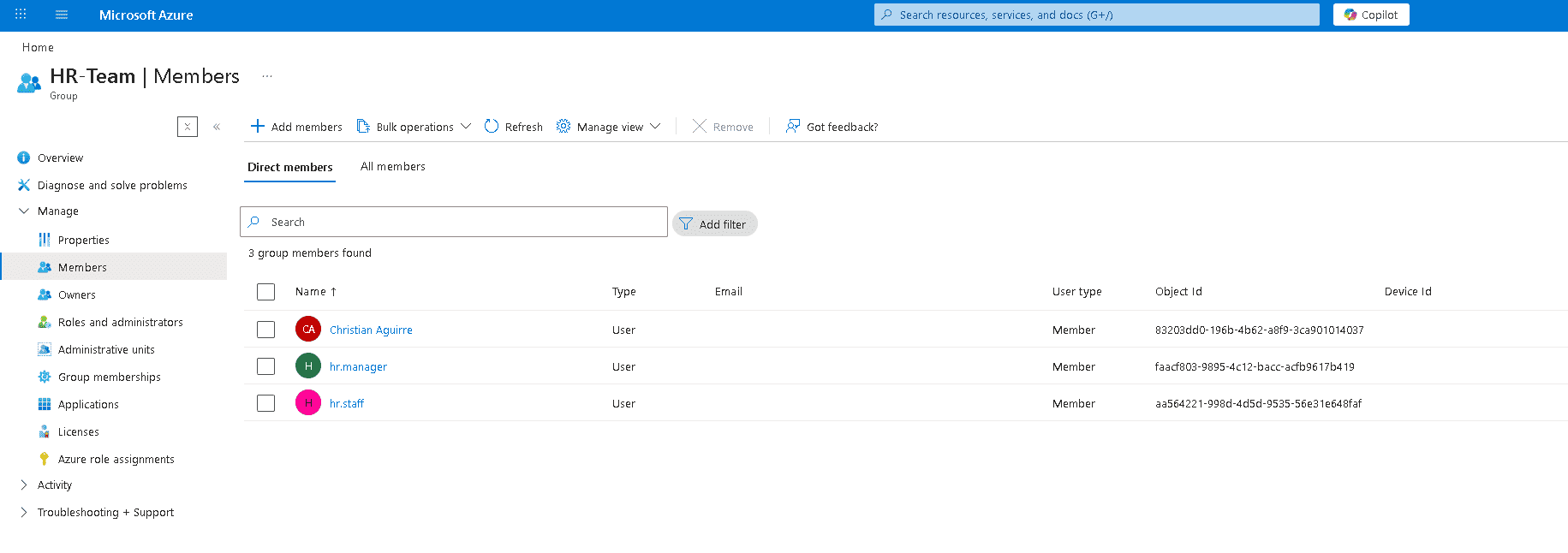
HR-Team add members panel — selecting users from directory search during group assignment.
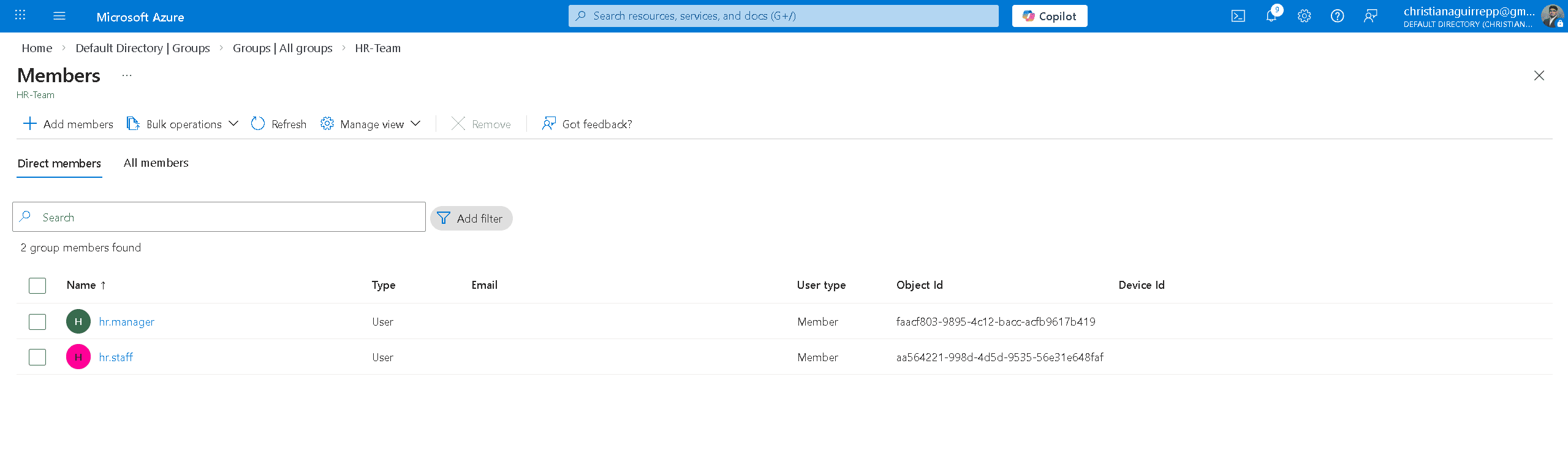
HR-Team members — hr.manager and hr.staff confirmed as direct members.
5.4 — Finance-Team Members
Finance analyst and Finance staff identities were assigned to the Finance Team group, completing the RBAC structure. All users are now mapped to a defined access boundary aligned to departmental roles.
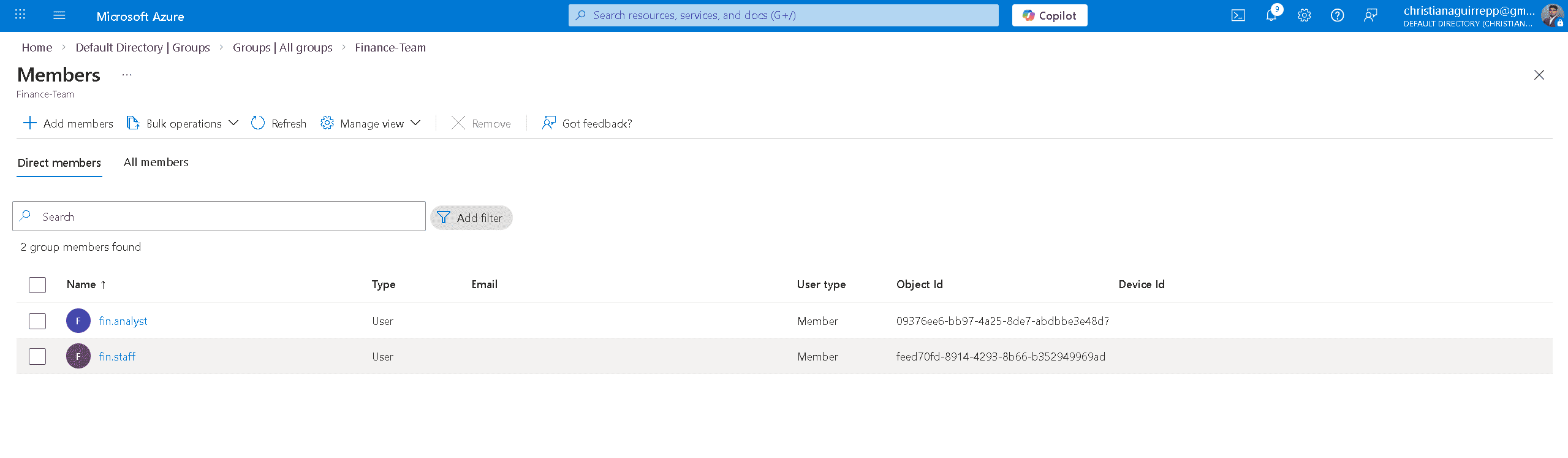
Finance-Team members — fin.analyst and fin.staff confirmed as direct members.
Help Desk & Lifecycle Ops
Phase 6 — Help Desk Operations
Three Tier 1 workflows were executed: password reset, account suspension, and user restore. These represent the most common help desk operations in any enterprise IAM environment and validate that the lifecycle management surface functions correctly end-to-end.
6.1 — Password Reset
A password reset was initiated from the admin portal on fin.staff. The operation generated a temporary password displayed in the reset panel. The reset was then verified from the user side — hr.staff triggered the "Update your password" prompt on first sign-in, confirming the forced reset policy works end-to-end.
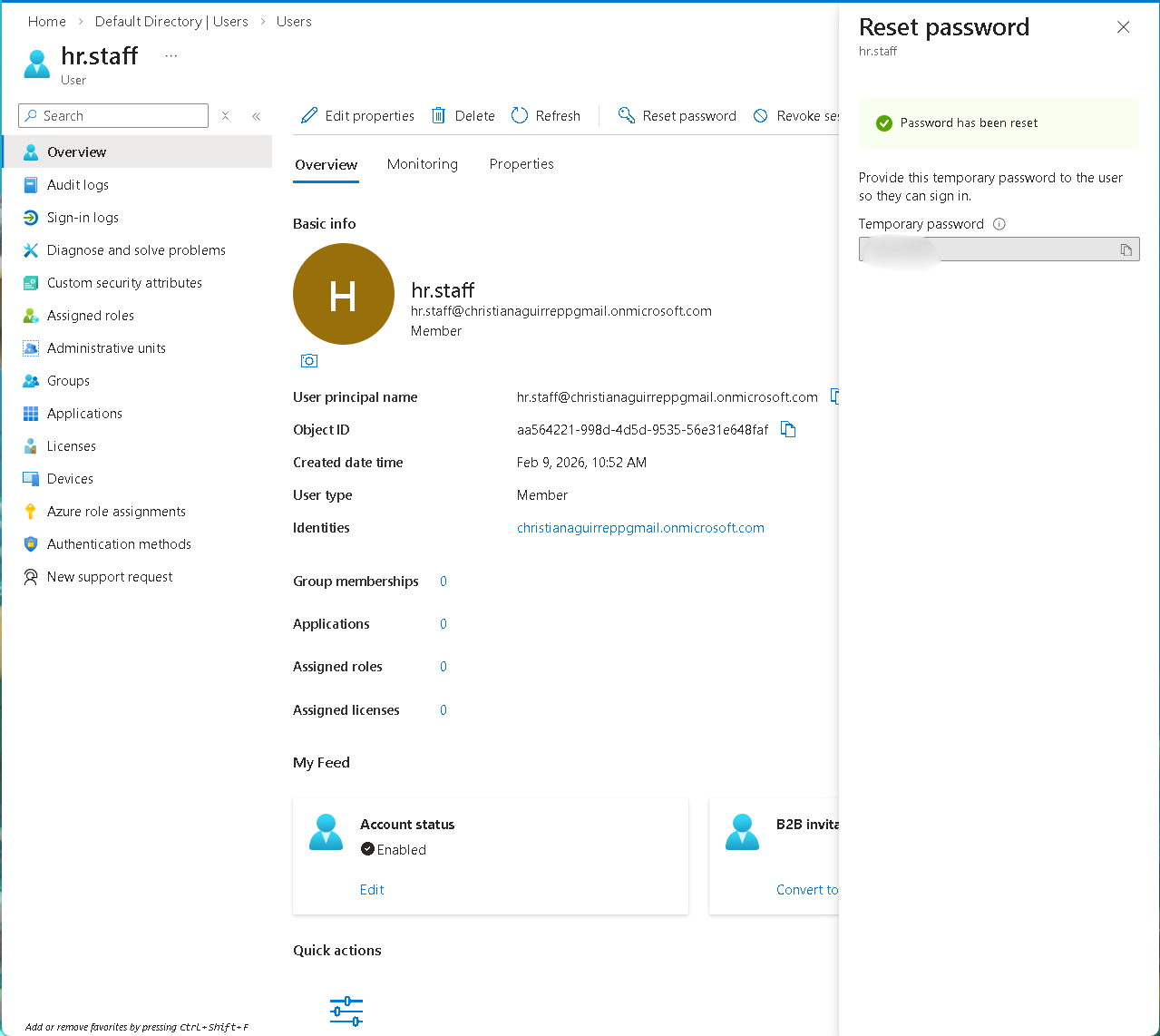
Admin-side reset — "Password has been reset" with temporary password generated for fin.staff.
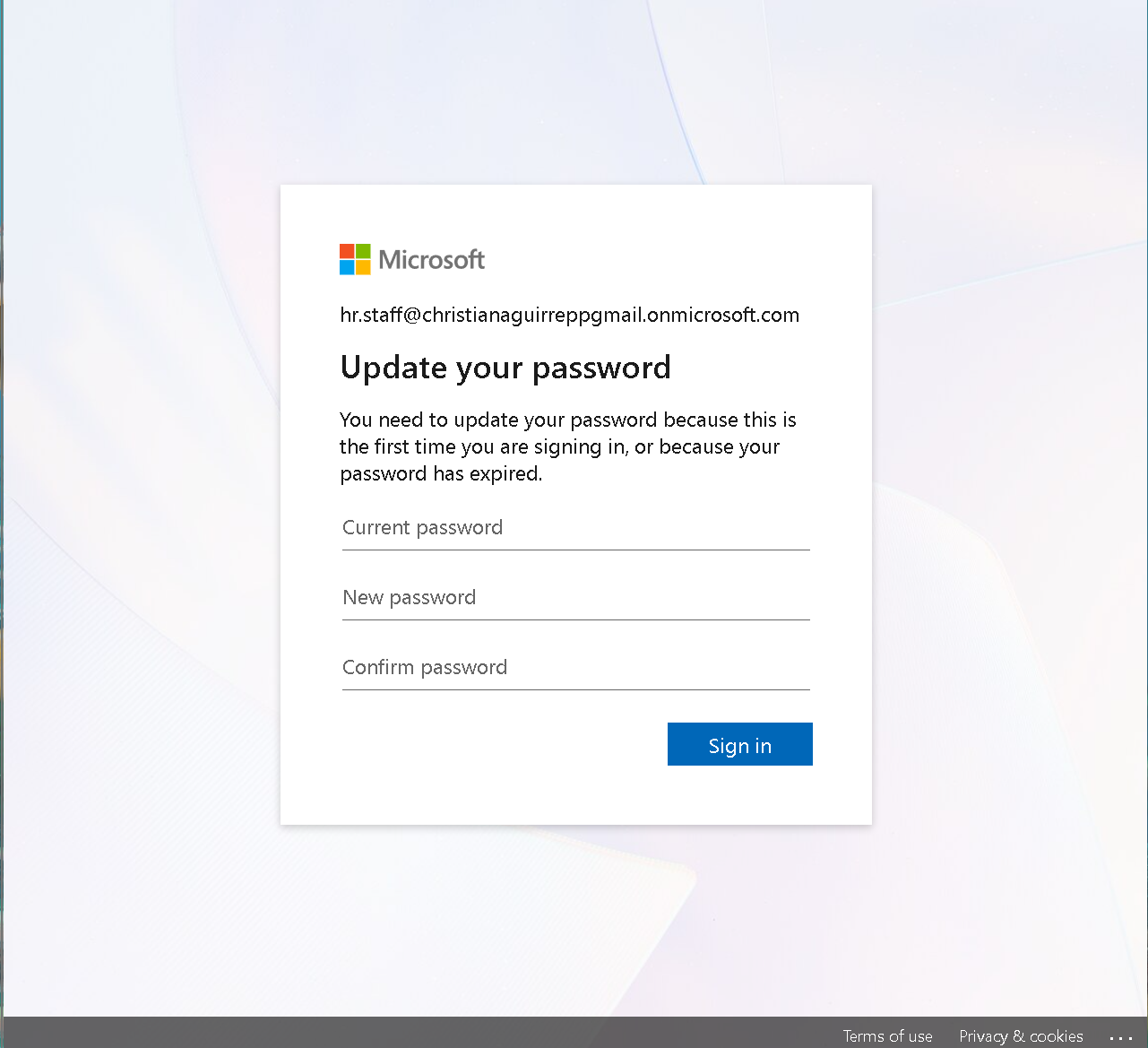
End-user side — hr.staff prompted to update password on first sign-in, confirming forced reset policy.
6.2 — Account Deletion Review
The deletion workflow was initiated to validate identity removal controls. The delete confirmation panel displays associated roles and group membership prior to removal, ensuring administrators can verify identity scope and dependencies before executing permanent deletion.
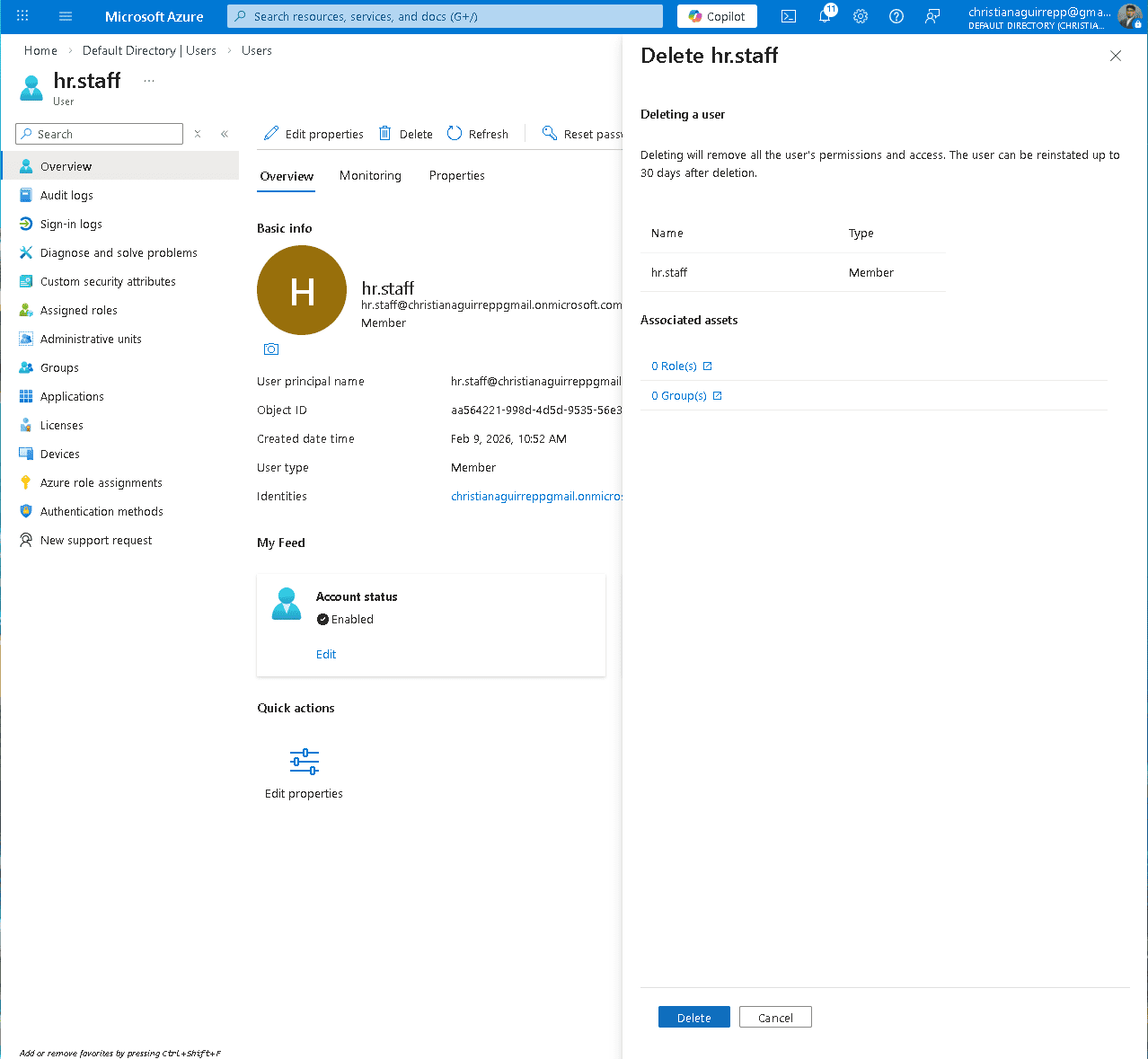
Delete user confirmation panel showing identity scope prior to removal.
6.3 — Account Suspension
Account suspension was enforced by disabling the fin.staff identity. This immediately revokes authentication access while preserving the identity object, supporting offboarding, access freeze, and lifecycle control scenarios.
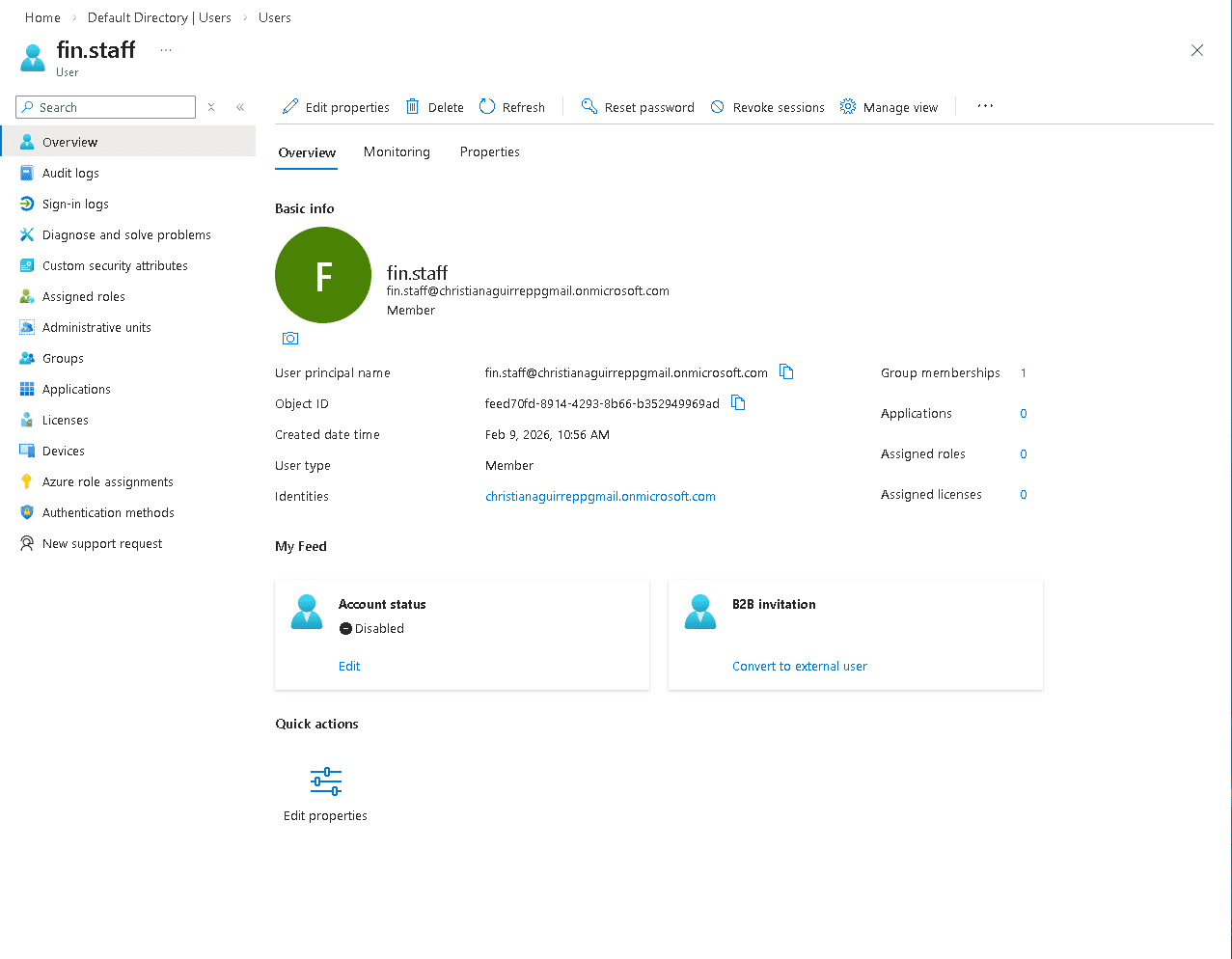
fin.staff overview showing Account status: Disabled.
6.4 — User Restore
After deletion, hr.staff was restored from the Deleted users panel before the 30-day permanent deletion window. The restore confirmation dialog shows the selected user, permanent deletion date, and confirms the account can be reinstated. Post-restore, fin.staff is confirmed back to Enabled status.
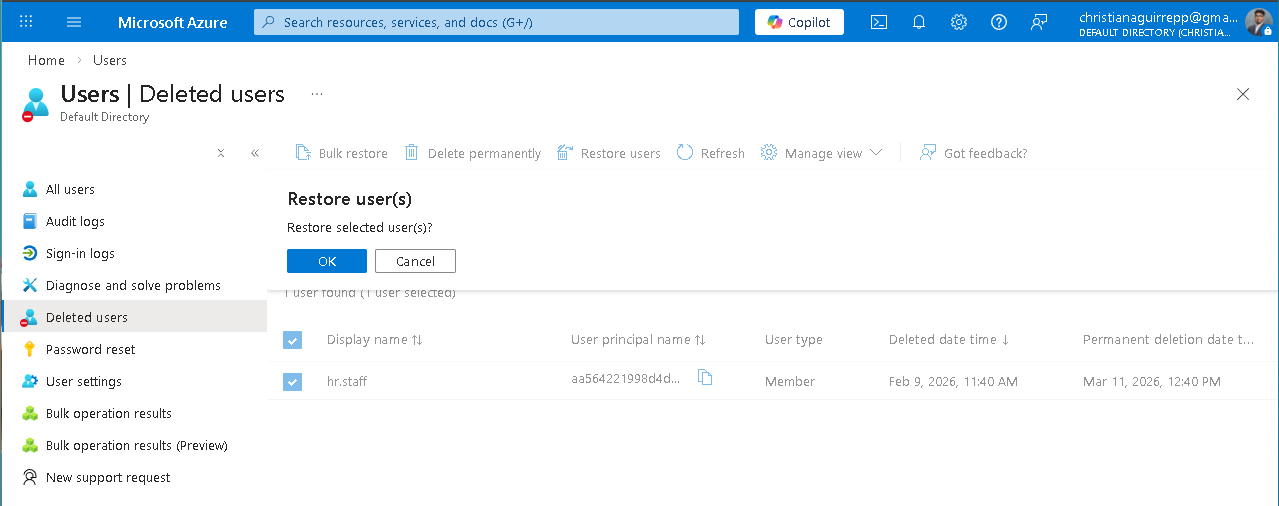
Deleted users panel — Restore hr.staff confirmation with permanent deletion date shown.
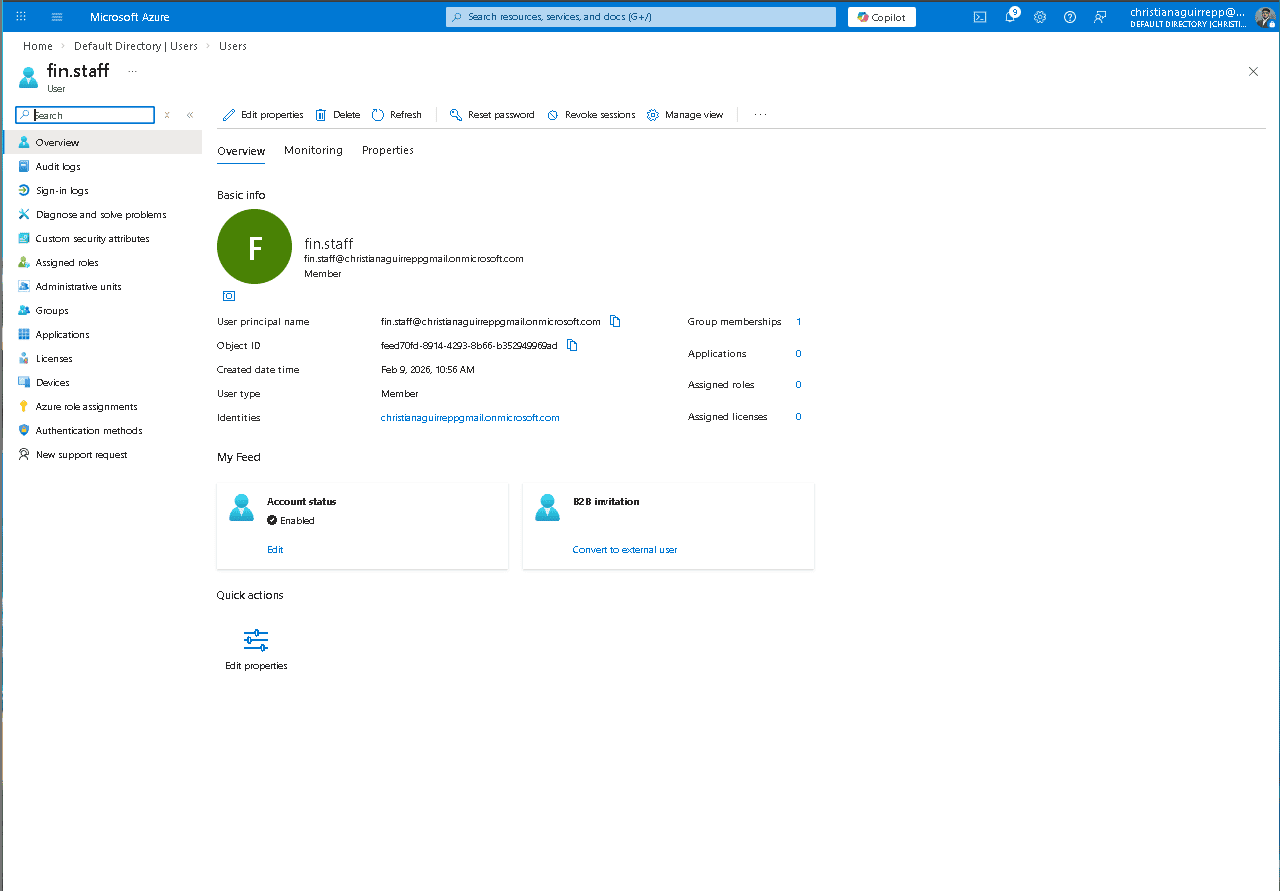
fin.staff overview — Account status: Enabled, 1 group membership, confirming successful restore.
6.5 — End-User First Sign-in
After restoration, the end-user experience was validated by signing in as hr.staff, confirming the account lands on the Azure portal welcome screen with the correct identity — no residual access restrictions from the delete/restore cycle.
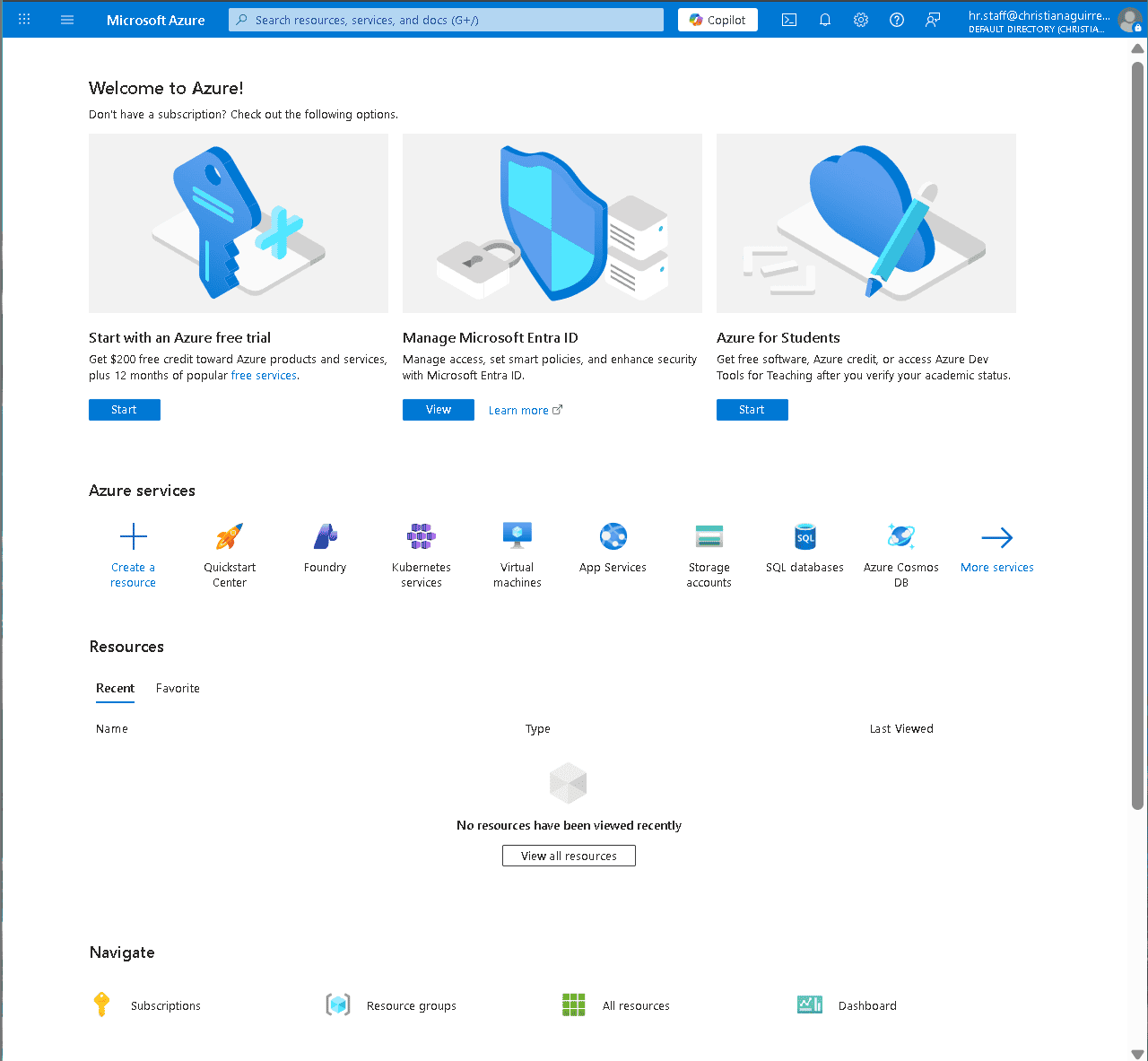
hr.staff signed into Azure portal — confirming clean access state after restore.
Monitoring & Audit Investigation
Phase 7–8 — Log Review and Event Investigation
Sign-in logs were reviewed to confirm both successful and failed authentication events. Audit logs were analyzed to trace the full chain of administrative actions — group management, user management, password resets, account enable/disable — with timestamps and initiating actor visible for each event.
7.1 — Sign-in Log Review
Sign-in logs show a mix of failures and successes across hr.staff and the admin account — generated intentionally by signing in with the temporary password and then completing the reset cycle. Both failure and success events are captured with IP, application, and location metadata.
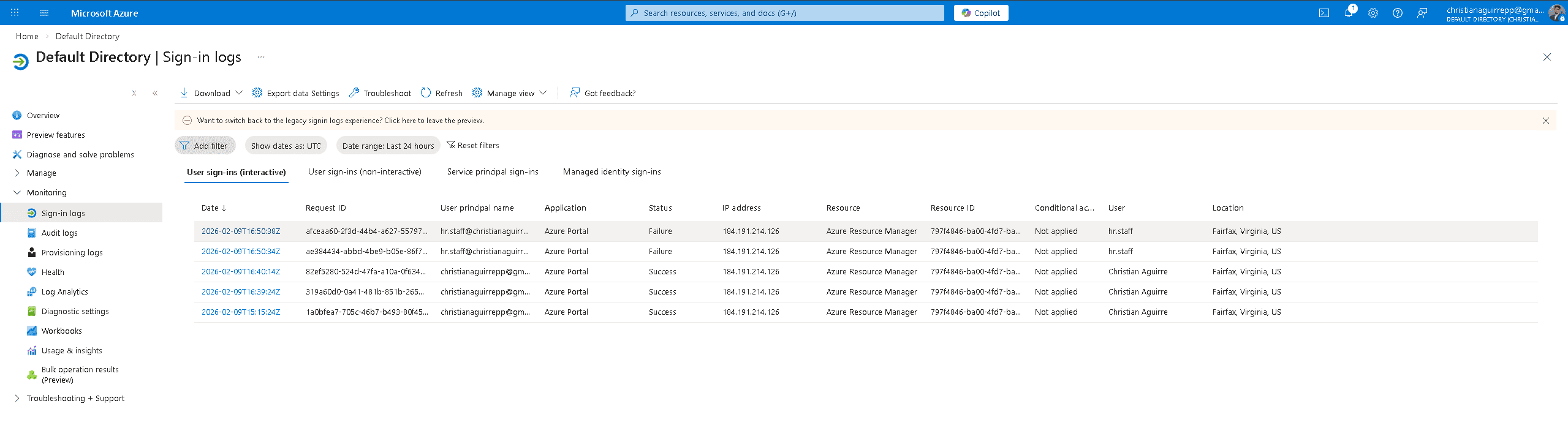
Sign-in logs — hr.staff failures followed by successful admin logins, with IP and location captured.
7.2 — Audit Log — Group Management Events
The audit log captures every group management event from Phase 5 — Add group, Add member to group — timestamped and attributed to the initiating actor. This is the exact evidence trail required during a compliance audit or access review.
Audit log — Add group, Add member to group events from Phase 5 with full timestamps.
7.3 — Audit Log — User Management Events
A second audit log view shows user management events — password reset, disable account, enable account, restore user, and delete user — all logged with service, category, activity, status, and status reason. This full event chain confirms every Phase 6 help desk action is fully traceable.
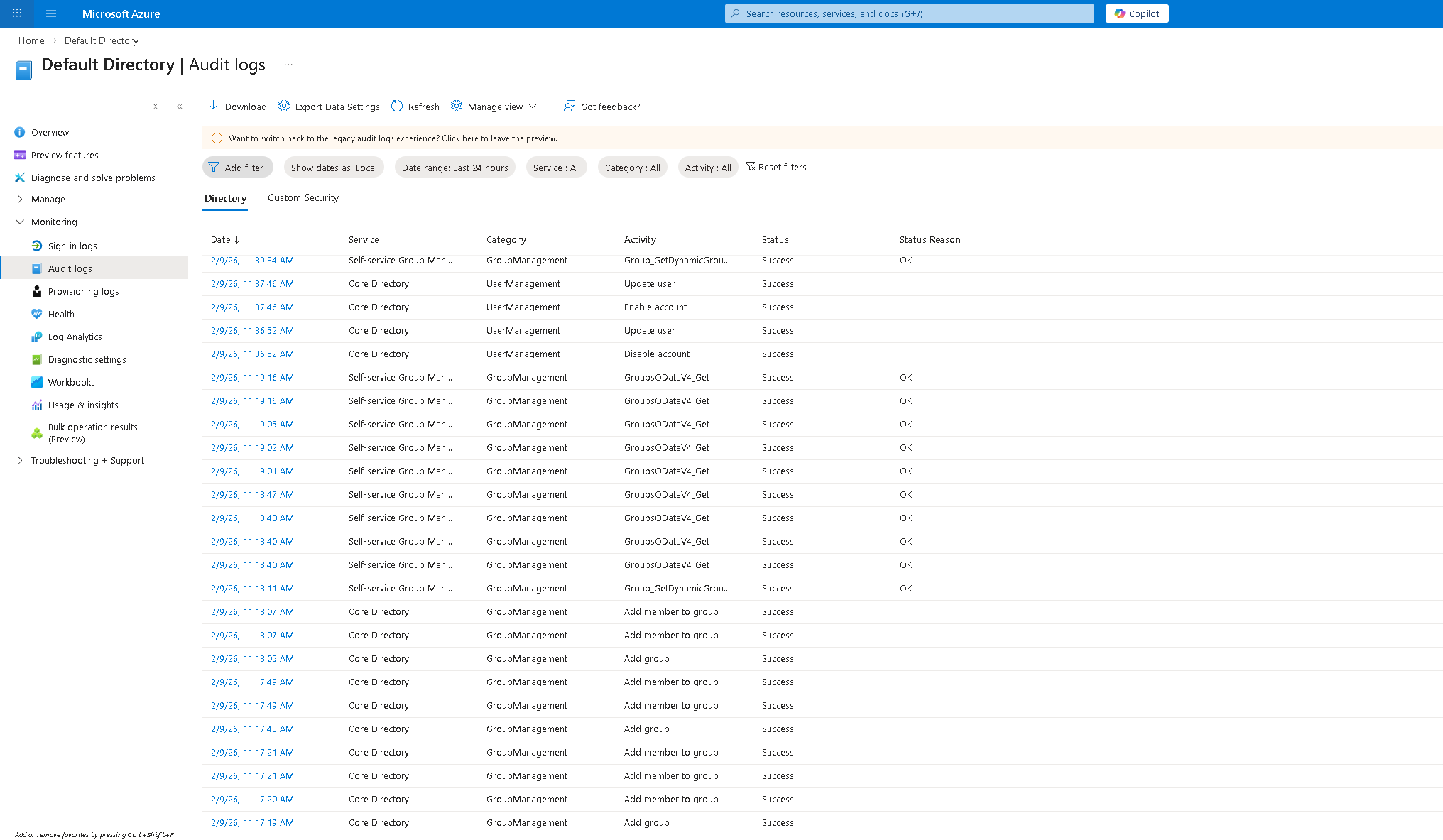
Audit log — password reset, disable/enable account, delete user, restore user all captured.
Security Posture & Architecture
Phase 9 — Security Review
With the lab environment fully built, a security posture review was conducted — assessing the Identity Secure Score, reviewing active recommendations, and examining the Conditional Access policy surface.
9.1 — Identity Secure Score
The Identity Secure Score reports 54.17% with five active recommendations. High-priority item: "Do not expire passwords" (8/8 points) is already completed. Open items include using least privileged administrative roles, designating more than one global admin, and restricting user consent to applications.
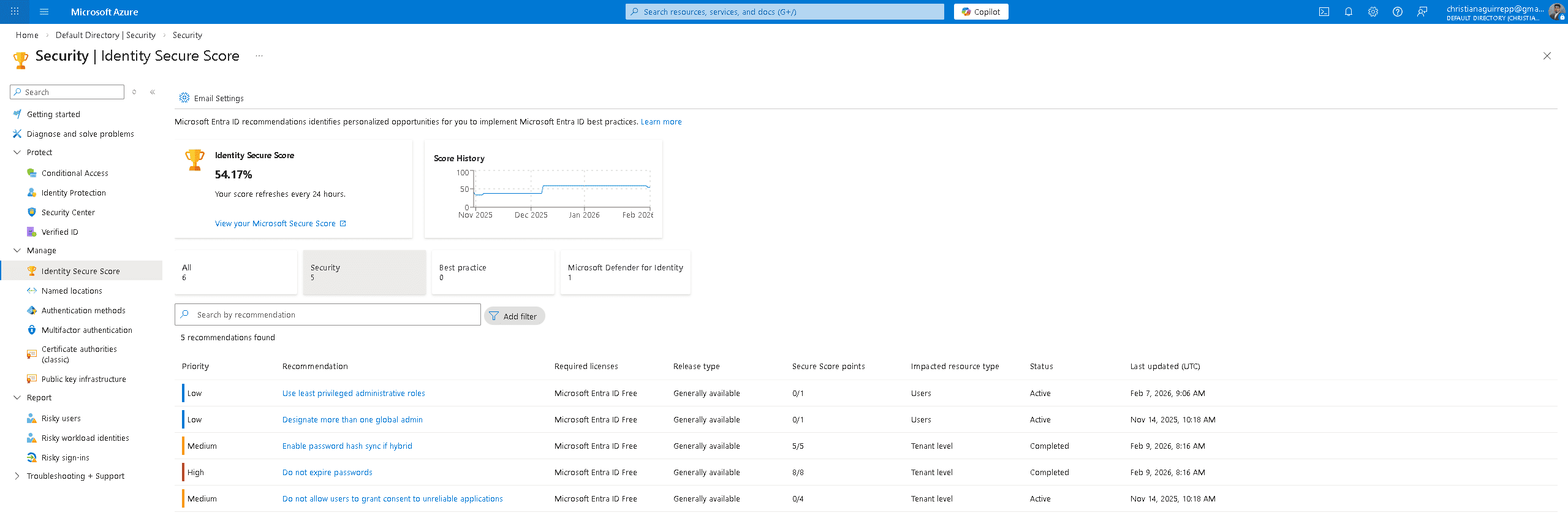
Identity Secure Score — 54.17%, 5 recommendations, score history since Nov 2025.
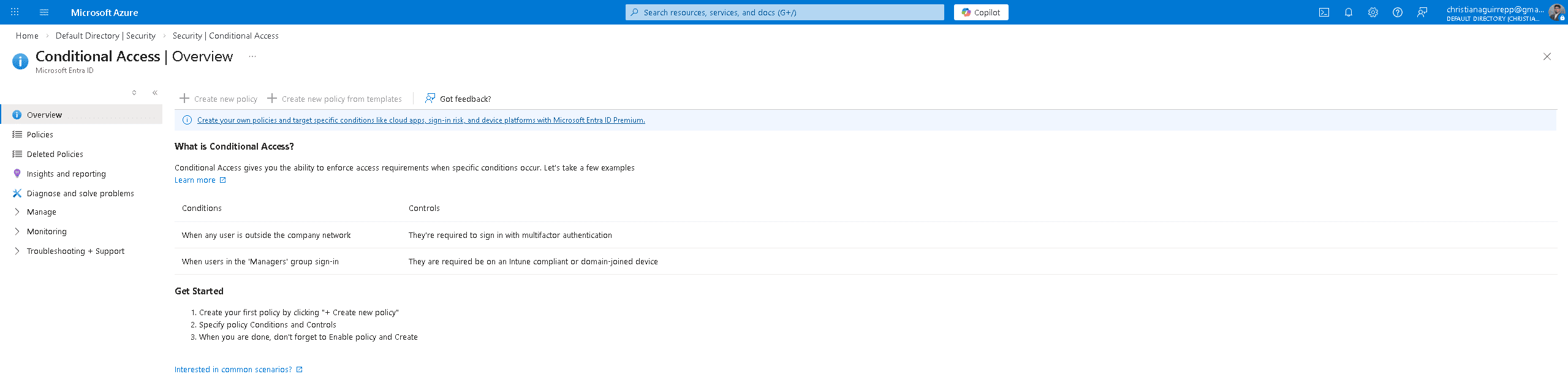
9.2 — Conditional Access Overview
The Conditional Access surface was reviewed — no policies are currently active. This is the primary gap identified from the security review. The Conditional Access overview documents example policy conditions: requiring MFA for users outside the corporate network and requiring compliant/domain-joined devices for manager sign-ins. Creating these policies is the highest-priority hardening action from this lab.
Phase 10 — IAM Architecture Diagram
The final deliverable documents the complete identity flow built across all ten phases — from user provisioning through security groups, authentication, and monitoring.
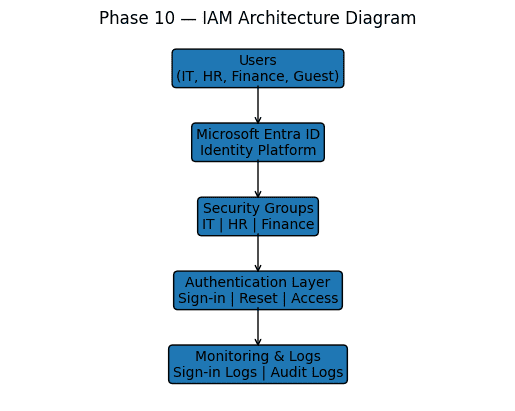
Users → Entra ID → Security Groups → Authentication Layer → Monitoring & Logs
Hardening Strategy
Findings from the lab — particularly the secure score gaps and the absence of conditional access policies — translate directly into the following hardening actions.
Identity Control
- MFA for all usersSecure Score flags this as an open item. Extend MFA beyond admin accounts to all member identities.
- Reduce global admin countOnly one global admin exists — Secure Score recommends at least two to prevent lockout.
- Least privilege rolesit.admin holds User Administrator — review whether this is necessary vs. scoped admin roles.
Access Hardening
- Create Conditional Access policiesNo policies are currently active. Priority: require MFA outside corporate network, block legacy auth.
- Restrict guest access scopeContractor Test is in IT-Team with no access restrictions — scope guest access to explicitly approved resources only.
- Block user consent to appsSecure Score recommends restricting users from consenting to unverified applications.
Continuous Visibility
- Export logs to SIEMAudit and sign-in logs should be exported and retained — not just reviewed in portal. Configure diagnostic settings.
- Alert on risky sign-insSign-in failures were generated without triggering any alert. Enable Identity Protection risky sign-in alerts.
- Track secure score over timeScore history shows activity since Nov 2025. Set a recurring review cadence to measure improvement.
Skills Demonstrated
Summary
This lab demonstrates end to end enterprise identity and access management in Microsoft Entra ID, including tenant initialization, identity provisioning, RBAC governance, external guest onboarding, lifecycle operations, authentication monitoring, and audit investigation. Identity controls were validated across provisioning, access assignment, suspension, restoration, and monitoring workflows, reflecting real world IAM administration, security governance, and operational support practices.